
CyberYozh App Proxy Review 2026: Features, Test Results, and Prices
I first tried CyberYozh App because I needed a proxy provider that could handle real-world security work. What I’m dealing with daily is reproducing geo-based blocks, collecting threat intel from multiple locations, and running repeatable testing with controlled traffic. From a proxy provider, I wanted handy controls, predictable HTTPS sessions, and enough quality data in the dashboard to explain failures. This read shares my impression about how CyberYozh behaves across mobile, residential, and datacenter proxies. See what the proxy dashboard gets right, backed by the results from my test runs.

When analyzing the proxy, we have conducted in-depth research that helped us reveal all the strong and weak points of the service. Considering expert opinion and customer feedback, our pros studied the range of options and, finally, tested the service.
Here are the steps we followed when conducting research:
Analyzing the customer feedback
We have visited several forums devoted to proxy discussion and even participated in it. We have studied reviews on reliable resources with only one purpose – to make our review precise.
Getting to know the expert opinion
We have communicated with experts in the proxy industry. To uncover some hidden pitfalls, we asked professionals about its key features. In our review, we will tell you everything you need to know about the strong and weak points of the proxy provider.
Studying Terms & Conditions
At this point, experts have studied the legal basis. They have touched upon the place of registration, owners, achievement, reputation, and so on.
Exploring proxy types
To understand the quality of services the company provides, we test each of the proxy types it offers. The range of proxy types can vary as well as their quality.
Evaluating the quality of support
The support team reflects the reliability of the company hence it is essential to check it. We pay attention to response time, the communicative skills of managers, and the usability of the service. Besides, our expert becomes a real user to get into the situation of purchase.
Testing the service
We have checked the proxy provider’s backward and forwards. To make our research full and deep, we have tried out all proxy types offered there. Our experts have analyzed the work of servers paying attention to their features and functionality. In our review, you can look through a detailed description of features.
Comparing
Our experts have compared this proxy with other popular services. In their comparison, they have touched upon the pricing, set of features, and characteristics. You can find out more in the Comparison section of the website.
- Incident reproduction, fraud-defense validation, threat intel scraping, and geo-based targeting checks with stable sessions.
- Proxies in over 50 million locations, with precise targeting
- Both dedicated and shared servers on offer, including unlimited tiers
- Support for UDP alongside HTTP, HTTPS, and SOCKS5
- A user-friendly proxy dashboard
- Detailed manuals for proxy setup and integrations
- A referral program offered by the provider
- No free trial option before you buy
- Most of datacenter proxies are simple (HTTP)
Characteristics
- IPv4
- English
- Russian
- Spanish
- Portuguese
- Ukrainian
- Vietnamese
- Indonesian
- Chinese (Simplified)
- 60+ locations
- Datacenter Proxies
- Residential Proxies
- Mobile Proxies
- SOCKS5
- HTTP
- HTTPS
- UDP
- AdsPower
- APIs
- AntBrowser
- ClonBrowser
- Kameleo
- Mozilla
- Safari
- Ghost
- Vivaldi
- Human Emulator
- ZennoPoster
- Postman
- Fraud score tools like IP, phone number, and bank card checks (with a paid premium subscription)
- Mass credentials generator for dynamic residential proxies
- Mobile options with dedicated DNS and “p0f fingerprint” toggles on some listings
- Vless/Xray tags on some mobile entries
Overview

Not every proxy shop will suit cybersecurity work, but CyberYozh covers this need with consistent quality. For me, repeatability is crucial: a proxy service once but not tomorrow, I can’t trust the results derived.
In my day-to-day flow, I used CyberYozh for controlled web checks where I must keep HTTPS sessions stable and traffic clean, with consistent quality under load. Validating what a login page, WAF rule, or fraud gate does in multiple geos is exactly such work. Also, I found this provider suitable for bursty scraping of public threat intel sources, where I prefer rotating proxies, and I accept that some requests will fail.
On top of location masking services, I was surprised (in a good way) to see the defensive tooling built into the platform. The trust-check features like IP, phone, and card checks in the same setup is very convenient, as it reduces context switching.
Featured
Mobile Proxies
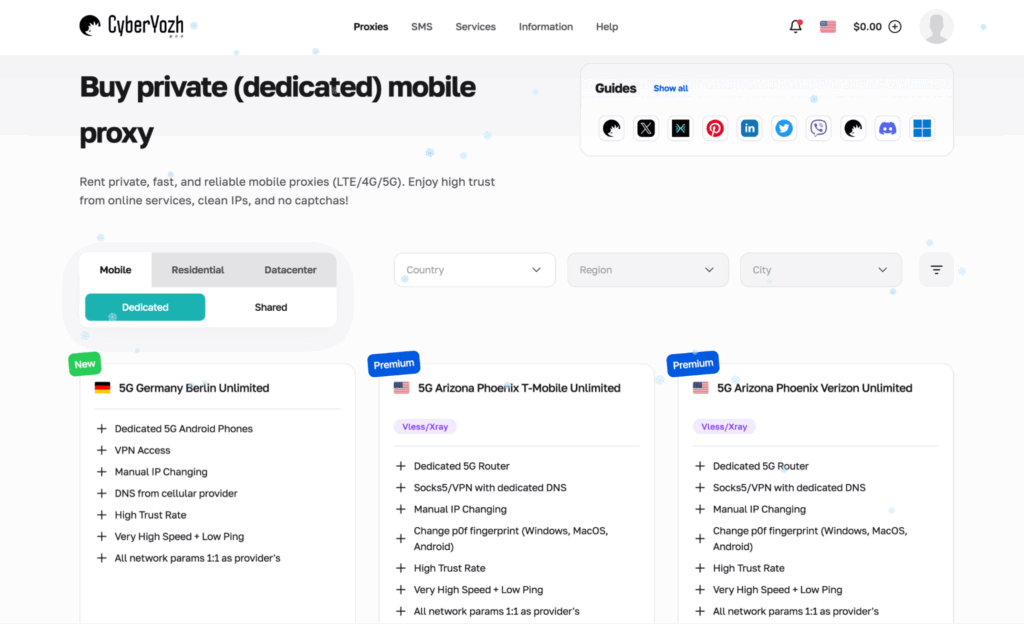
In security tests, mobile proxies often beat other options as being the closest thing to real-user traffic in terms of quality and reputation. Having browsed through dedicated mobile pool listings, I noted features like dedicated routers/phones, unlimited plans, manual IP change, and the option to keep DNS aligned. When I needed to reproduce a block that only happened on cellular IPs, this premium proxy line was the most consistent path.
Alongside dedicated servers, the provider supplies shared mobile addresses. They’re cheaper, come as unlimited packages, rotate on a schedule (I saw 5-minute and 30-minute options), and they support SOCKS5 with UDP. That makes them suitable for data extraction and quick geo checks. But I wouldn’t run high-stakes, long-lived connections on shared mobile unless the rotation window matches the task.
Another detail I appreciated: the catalog calls out “High Trust Rate” and the rotation rule, instead of forcing you to guess. It saves you from realizing mid-run that the proxy swaps IPs every five minutes (that’s painful when you’re in the middle of a checkout flow, and that happens with services of lower quality).
Residential Proxies
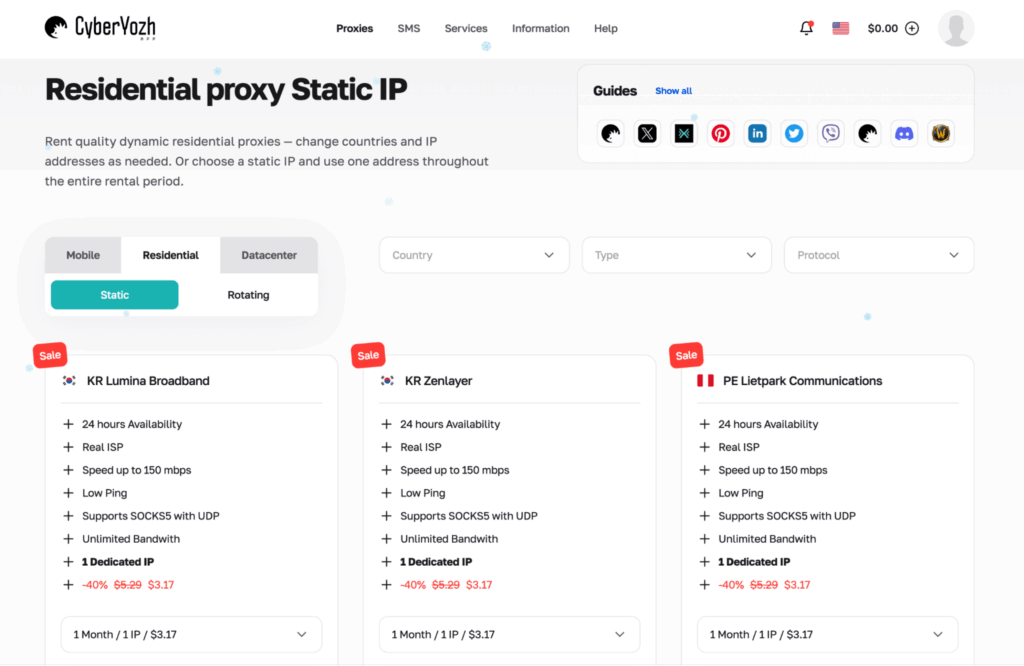
The residential lineup is another quality highlight of CyberYozh as a provider. This network offers static (one IP) and dynamic (traffic-based) proxies. For anything that relies on stability, the static real-user network is the safer (and higher quality) pick. It maps well to “one profile, one IP,” and it’s easier to explain in an audit trail when you need to reproduce a finding later.
For broader activities and coverage, I used the rotating residential pool. The “All Countries” package calls out API access, long HTTPS connections (not unlimited, but still up to hours), and a large pool language. Based on my experience, this tier is less about raw speed and more about reducing blocks by moving across IPs and regions as your traffic scales.
The residential network shines when targeting and reputation matter, especially on demanding online platforms that score your IPs in real time (marketplaces, social networks, and big e-commerce). But I wouldn’t buy these premium household addresses blindly for everything else. If your task is a simple uptime check or pulling public pages with no friction, datacenter servers could be more efficient.
Datacenter Proxies
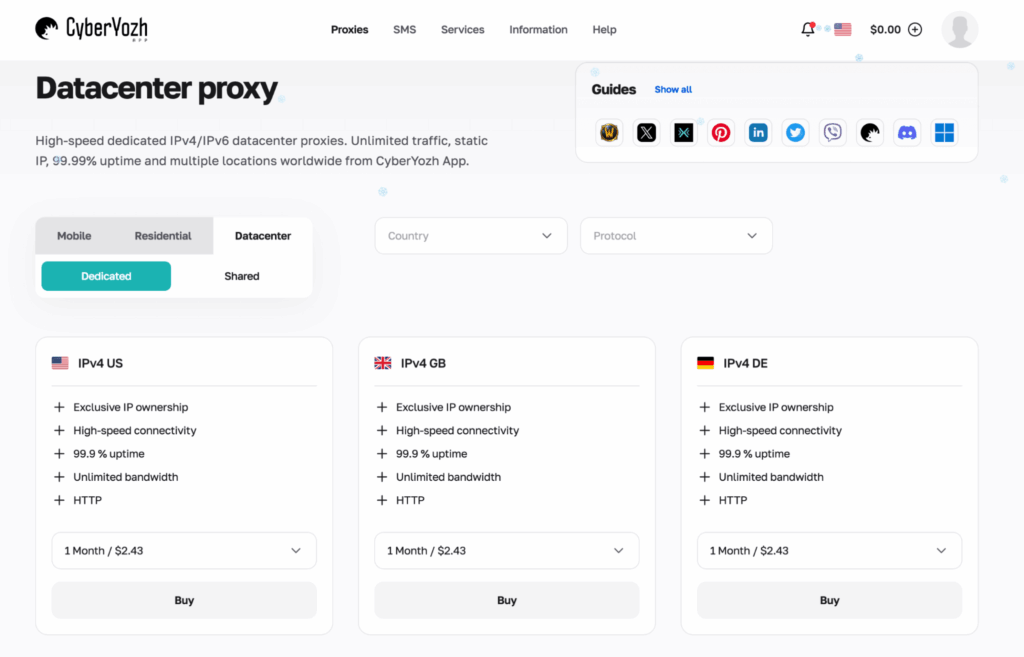
Datacenter proxies by CyberYozh are dedicated and shared IPv4, with unlimited bandwidth on selected plans and the 99.9% claimed average uptime. That being said, these servers provide decent quality for most security workloads: fetching public data, basic endpoint validation, and high-volume scraping, where you expect a portion of requests to be blocked anyway.
Where datacenter addresses get risky is anything that triggers modern bot defense. If you’re poking a hardened web app, blocks will usually rise. In my baseline testing, dedicated proxy servers performed better than shared (as expected). But, of course, neither beats mobile or residential when the online target is sensitive to ASN or reputation.
The upside I can name is price clarity and predictable performance. You pay by month (or two, with a dedicated pool), and you get a stable set of IPs, with no meter running on traffic in the background. My HTTPS connections stayed consistent, latency didn’t swing, and the quality felt steady across day-to-day web work.
Trust Checking Tools
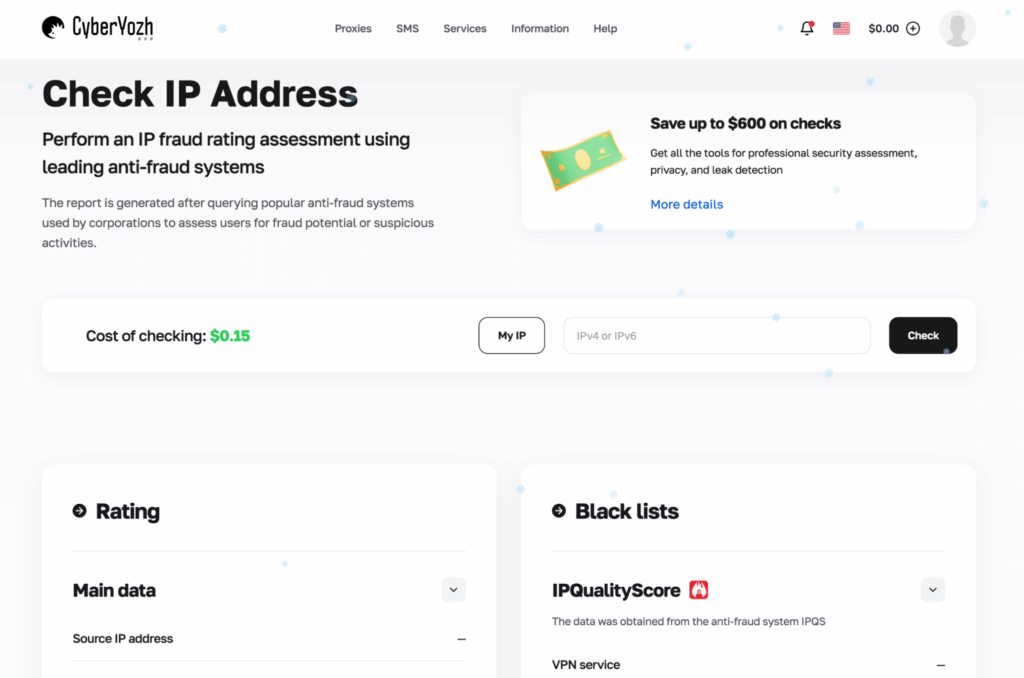
As for the extras CyberYozh offers, I’d say it’s the part most competitors don’t do well. Inside the same platform, you can run trust checks that score IPs, phone numbers, and bank cards. The IP checker includes a reliability rating and complaint context, which is useful if you’re trying to understand whether failures come from your target or from dirty network reputation.
The phone and card checks are positioned around fraud scoring and blacklist presence. In practice, I use this to sanity-check whether a proxy endpoint is likely to be flagged before I run a long session.
The per-check pricing ($0.15/check) makes it easy to use selectively instead of committing to a full package on day one. But if you run checks daily, a premium subscription offered by the provider ($25/month or $19/month with a yearly plan) could make more sense.
SMS Services
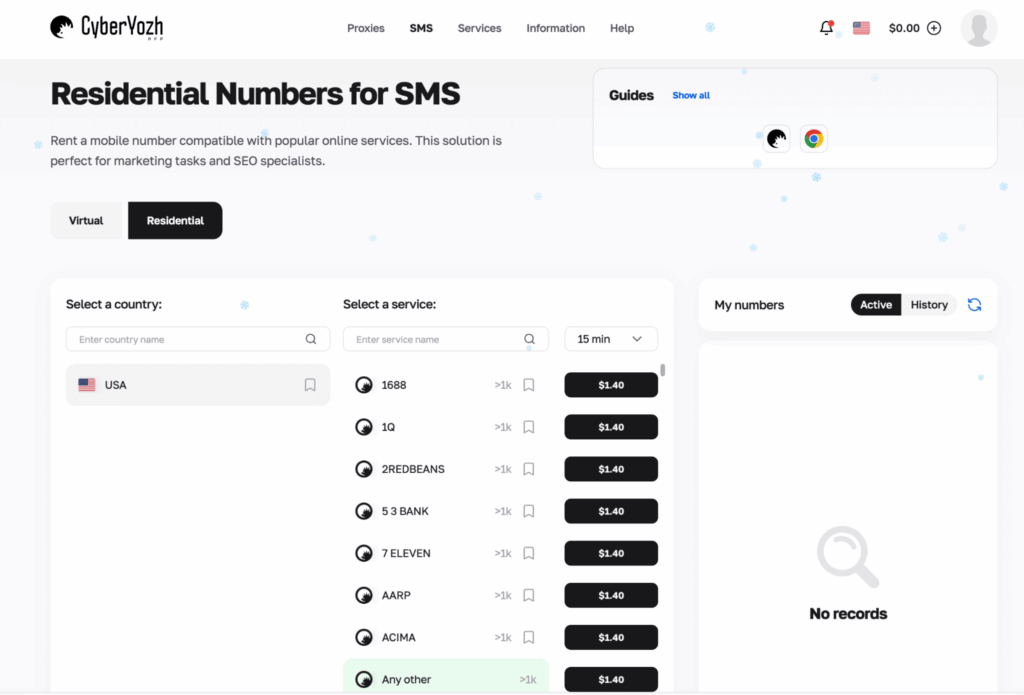
SMS in a proxy provider can be a red flag if it’s framed as a mass account creation tool. Honestly, I’d encourage you not to use such solutions for sneaky purposes. But SMS is legitimate when used for controlled QA or to validate how a service behaves when a phone step is involved in an encrypted flow. That’s where I relied on the SMS module by CyberYozh.
These SMS services let you pick the country and number type, receive one-time codes, and keep the whole phone step inside a controlled test loop. I found it a great way to verify how demanding online platforms handle SMS-based challenges (delivery timing, retries, and lockouts).
How to Use Proxy CyberYozh
The whole workflow is simple, and the platform offers detailed guides for most processes, so you don’t have to guess. To help you get started, I’m sharing the setup path that matched my experience.
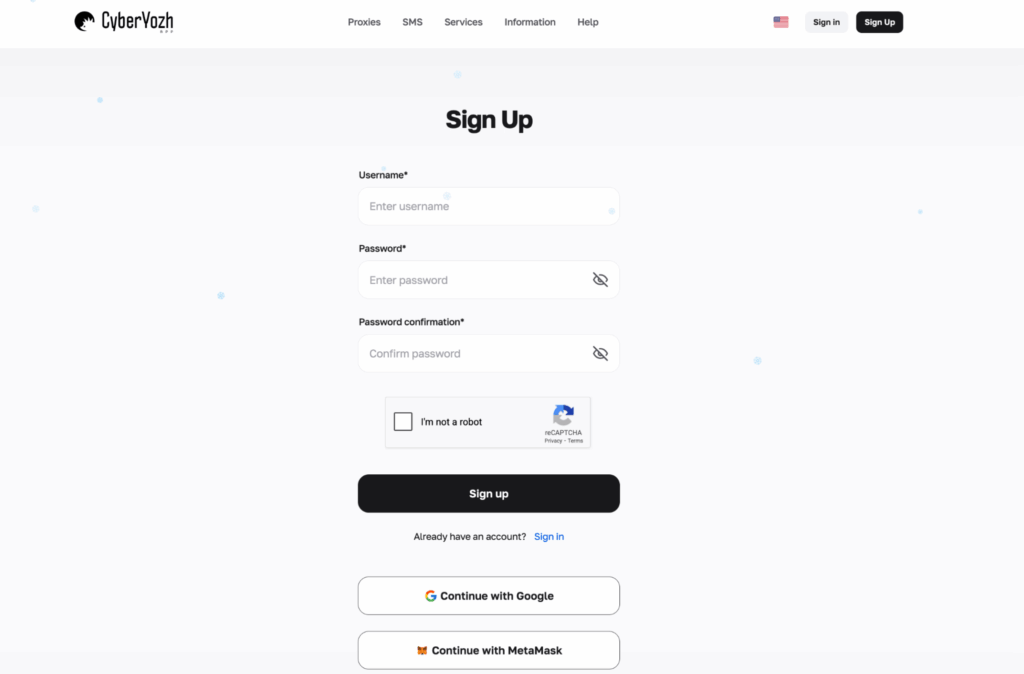
- Click “Sign Up”
To create an account, initiate registration, and come up with your username and password. You can also use third-party sign-in options – Google or MetaMask.
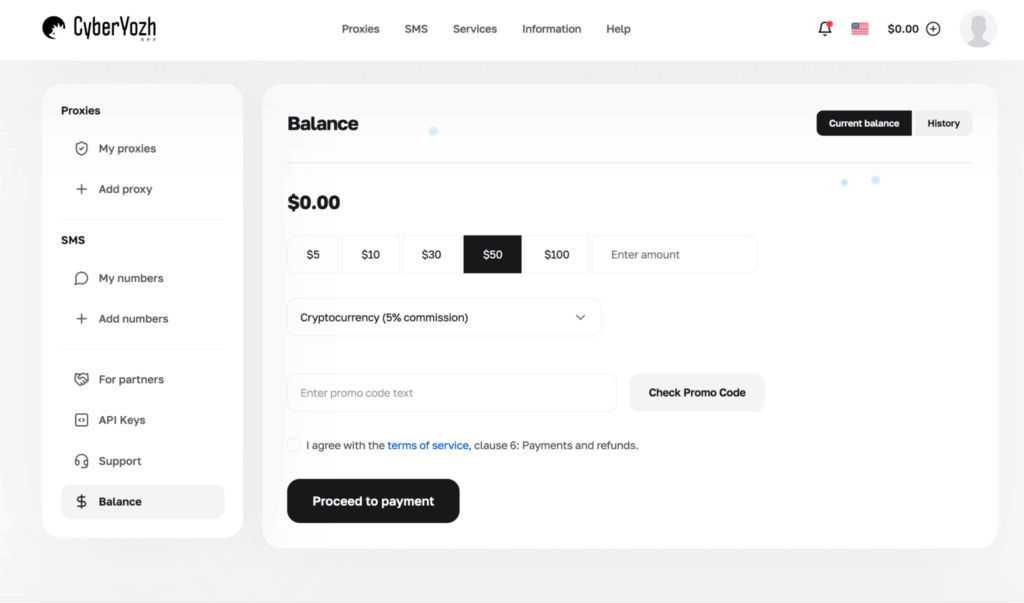
- Top up your balance
Once authorized, go to the balance screen and choose a payment method. The interface shows fees clearly (crypto vs card vs local).
- Pick your proxy category
Decide on what to order – mobile, residential, or datacenter servers. I’ve used all three, and I’ve shared what worked for me. But the right option for you depends on what you’re doing and how you run your setup.
- Filter by country and location
Use the dropdown filters (you’ll see targeting by country, region, or city on several catalog pages). For threat intel work, I keep a small country list I reuse, so results stay comparable.
- Select a plan and buy
Many listings provide you with a choice between shared and dedicated. Also, you can narrow down your options by rotation window and traffic. Confirm what’s unlimited (and what isn’t) before purchase.
- Access the proxy credentials panel
After the purchase, copy the proxy host/port/login (or generate credentials for rotating pools). It’s best to keep your data in a secure vault.
- Configure your tool (browser / anti-detect / automation)
Use the detailed manuals crafted by the provider. I referred to the integration steps for an anti-detect browser and for a standard browser setup. With these guides at hand, mistakes like mixing HTTP/HTTPS endpoints or picking the wrong protocol are less likely.
- Validate with a test
Before you run real tasks, do a short testing pass. I’d verify external IP, DNS, and basic encrypted connectivity. If the task is sensitive, run a small scraping sample with low traffic volume first.
- Monitor usage in the dashboard
Watch real-time traffic stats, rotate IPs when needed, and log changes. That log discipline should keep your work defensible later.
Integrations
CyberYozh supports a wide spread of integrations: anti-detect browsers, regular browsers, and automation tools. I truly appreciated that the documentation is detailed and specific. That reduces misconfigurations, which are the number 1 reason why people blame proxy quality when the issue is their setup.
In my own work, I care about two integration types. First, a browser-based setup for controlled web reproduction and encrypted browsing. Second, automation tooling for repeatable scraping and regression checks. Both were covered with step-by-step instructions, and the proxy dashboard provides an easy way to switch protocols (UDP, HTTPS, SOCKS5).
Performance Testing
I usually run a baseline routine on any proxy provider, with controlled traffic volume and concurrency. I use it on small samples, multiple locations, and a mix of both easy and hostile web targets. CyberYozh wasn’t an exception, and I measured the following:
- Success metrics (200/302 responses)
- Median latency (ms)
- CAPTCHA/challenge rate (where applicable)
- Session stability for HTTPS connections longer than 20 minutes
- Consistency of ips per purchased plan
Below is a compact snapshot of what my testing revealed. Note that these numbers reflect a sanity-check run. There’s no guarantee that yours will be the same.
| Proxy Type Tested | Sample Location | Target Class | Average Success rate | Median Latency | Average Challenge / CAPTCHA Rate |
| Dedicated mobile proxy | US | Bot-defended login | 98% | 155 ms | 2% |
| Shared mobile proxies (5-min rotation) | US | Public pages + light defense | 96% | 170 ms | 4% |
| Static residential proxy | KR | Checkout-style flow | 97% | 210 ms | 3% |
| Rotating residential proxies | Multi | Threat intel scraping | 95% | 260 ms | 5% |
| Dedicated datacenter proxy | DE | Public data pull | 93% | 55 ms | 12% |
| Shared datacenter proxies | US | Bulk scraping | 90% | 65 ms | 15% |
Overall, the results line up with what I expected from a premium solution. Average challenge rates were low with mobile and household addresses on guarded flows, and HTTPS sessions were stable past the 20-minute mark. The datacenter proxy options were the fastest on raw latency, but they also drew the most friction on anything bot-defended.
For consistent access to demanding online targets, I’d treat mobile and static residential as the default. Datacenter, in turn, rocks in speed-driven jobs where occasional blocks won’t break the run.
Usability
Speaking about the UI, I can say it’s user-friendly and practical. Filters are where they should be, and buying a plan isn’t stressful. Inside your CyberYozh account, the key controls aren’t buried, and you can easily pick a country, set the rotation behavior, or grab credentials.
Under the API Keys tab, you’ll see links to Documentation and Swagger (as I said, the docs are very detailed and helpful). The Balance page shows top-up presets, promo code checks, and a history tab. Plus, there’s a Partner section for those who bring in referrals.
Pricing and Payment Methods
Proxy prices at CyberYozh run under two models: time-based rentals (daily or monthly) and traffic-based packages (price per GB). I found that convenient because you can match spending to your workload. Time-based options are suitable for stable HTTPS connections over a defined period. For bursty browsing across multiple locations, the per-GB packages make more sense.
Based on my experience, I’d recommend you pick the model that matches your risk. For sensitive logins, dedicated mobile or static residential is the safer bet. For bulk traffic and routine data pulls, shared tiers and datacenter services can be perfectly adequate.
| Proxy type | Tier | Billing model | From |
| Mobile proxies | Dedicated | Daily | $8–$9 / day |
| Mobile proxies | Shared | Daily | $3 / day |
| Residential | Static | Monthly | ~$3.17 / IP / month |
| Residential | Rotating | Per GB | ~$2.70 / GB (volume discounts lower) |
| Datacenter proxies | Dedicated | Monthly | ~$2.43 / month |
| Datacenter proxies | Shared | Monthly | ~$1.97 / month |
| Trust tools | Premium | Monthly/Yearly | ~$19–$25 / month |
On the payment side, the provider accepts crypto and local methods like Capitalist and SBP. Fees are displayed before you confirm the top-up, and I didn’t encounter any surprise charges.
Cryptocurrency, for example, comes with a listed 5% commission. The balance page also contains preset amounts ($5–$100), a custom amount field, and a promo code checker before you proceed.
Customer Service
Helpdesk channels at CyberYozh come down to Telegram and email. In my own interactions, Telegram was the fastest way to confirm small details (like rotation rules or which protocol to use for a specific integration). The only downside is that this route isn’t available 24/7, but the team reps provide round-the-clock assistance by email.
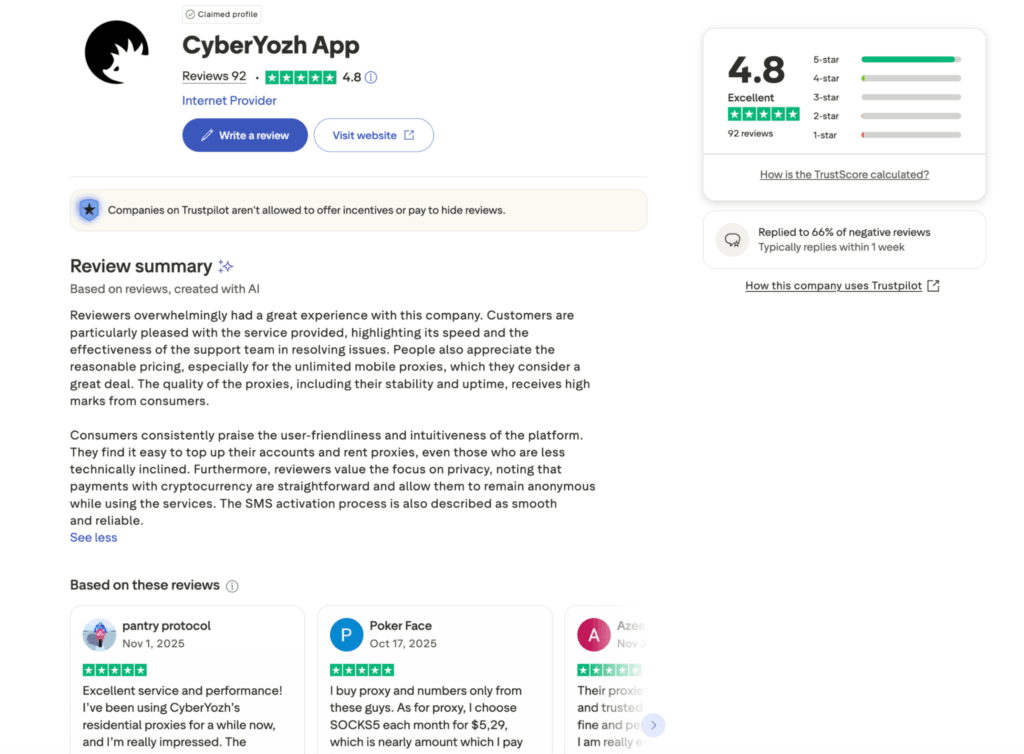
Trustpilot feedback also lines up with what I saw. The company has a high public rating (4.8 at the time I checked), and fellow proxy users seem to be satisfied with the customer care.
Our Verdict
To wrap up my CyberYozh review, I’d say it’s a decent proxy provider for anyone who cares about repeatable security work. It stood out to me for how usable the proxies are and the trust tooling added on top of regular services. Certain tiers provide you with unlimited bandwidth, and that’s exactly what you need when scaling.
I’d still like to see a small trial option (even a limited one) so teams can validate fit without committing cash. As of now, doing a quick test run is a working way to see the platform in practice. Once you do, chances are you’ll shortlist this provider for your next web unblocking work that requires targeting and encrypted flows.
FAQ
CyberYozh can be suitable for platforms with strict fraud controls when you use the right proxy type. For sensitive logins, I prefer dedicated mobile or static household proxies to keep HTTPS sessions stable and reduce reputation noise.
No free trial is offered. To check how the provider performs, start with a small top-up and try to access your real web targets. Based on that, you can decide if you should commit to a larger plan.
The answer depends on the game’s policies and region locks. In general, a proxy can help with access and location checks, but I’d avoid using it to violate terms. For country availability checks, datacenter or residential proxies can be enough.