When analyzing the proxy, we have conducted in-depth research that helped us reveal all the strong and weak points of the service. Considering expert opinion and customer feedback, our pros studied the range of options and, finally, tested the service.
Analyzing the customer feedback
We have visited several forums devoted to proxy discussion and even participated in it. We have studied reviews on reliable resources with only one purpose – to make our review precise.
Getting to know the expert opinion
We have communicated with experts in the proxy industry. To uncover some hidden pitfalls, we asked professionals about its key features. In our review, we will tell you everything you need to know about the strong and weak points of the proxy provider.
Studying Terms & Conditions
At this point, experts have studied the legal basis. They have touched upon the place of registration, owners, achievement, reputation, and so on.
Exploring proxy types
To understand the quality of services the company provides, we test each of the proxy types it offers. The range of proxy types can vary as well as their quality.
Evaluating the quality of support
The support team reflects the reliability of the company hence it is essential to check it. We pay attention to response time, the communicative skills of managers, and the usability of the service.
Testing the service
We have checked the proxy provider backwards and forwards. To make our research full and deep, we have tried out all proxy types offered there.
Comparing
Our experts have compared this proxy with other popular services — pricing, features, and characteristics. You can find more in the Comparison section of the website.
Promocode BROS (20% off)
Here is the list of the best proxy servers for PS4:
I tried NodeMaven because I needed a proxy network I could rely on for security work. What I needed was predictable performance for geo checks, OSINT collection, and tough targets that block fast when fingerprints drift.
On this page, I break down my impression of this provider. I’ll tell you about the quality of proxies you get, how the dashboard behaves, how the traffic model affects the work, and what my testing showed.
5Users feedback
5Experts evaluation
5Proxybros rank
Positive aspects
99.99% uptime, which seems to be true;
The 4.5 out of 5 rating on Trustpilot;
The IP quality filter concept + pre-checking posture;
Quality guarantee with $1 worth of bonus traffic for each confirmed blacklisted proxy;
Sticky proxy connections up to 24h;
Residential, mobile, and ISP proxies available under one account;
Supports HTTP, HTTPS, and SOCKS5 (good coverage for tooling);
Precise targeting (city + ISP + country layers);
No domain restrictions (fewer arbitrary blocks);
Unlimited concurrent sessions;
The provider documentation is detailed and of high quality.
Negative aspects
Smaller locations can be uneven in depth;
The demo version is not a true free trial in the usual sense;
High-volume web scraping at scale can get expensive fast under a traffic model.
With a pay-as-you-go option, you only pay for traffic usage, gaining access to the entire 9M+ IP pool. Besides, you get automatic IP rotation, easy proxy management, and API integration.
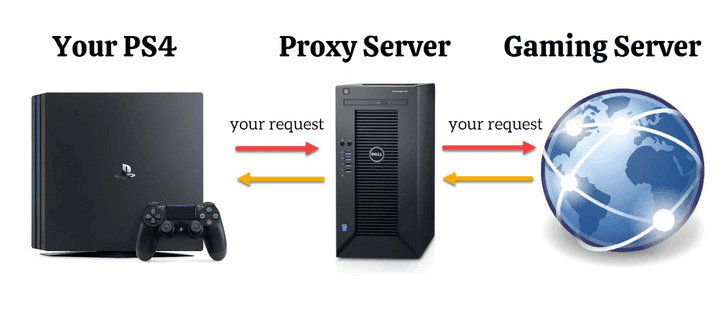
Proxies might be an excellent help for your gaming experience. But first, what are proxies? Simply put, they are intermediaries between you and an Internet source you want to reach. Here is a visual example of how it works:
So when you set a proxy service for your console, it stands between your console software and the gaming server. After you set it up, you get access to various locations worldwide: like if you were physically in another place.
Now you’d ask: why should I use a proxy server on PS4 at all? In short, such a trick can help you enhance your gaming experience in different ways.
First, you can get access to restricted games. For example, you can’t play FIFA17 in Belgium, and PUBG is unavailable in Iraq. A proxy will change your IP to a country that allows these games and will easily overcome geo-restrictions.
Another helpful thing is boosting your connection speed. For instance, your gaming server is in the USA, and you live in the UK. If you switch to a US location that is closer to the server, it might increase the overall speed and reduce lags. It will also increase your PS4 download speed — your fav games will upload much quicker.
After all, proxies are about your safety. It hides your IP and protects your data from cyber-attacks and malware. Yes, PlayStation’s operating system is protected enough to keep you away from almost any viruses. However, hackers are still on the alert — especially if you have an expensive account worth hundreds of bucks. Moreover, a proxy can protect you if someone uses a PS4 IP tracker to find your geolocation.
Of course, it will all work out if you opt for the right service. So, we will stop on the best ones further in this review. For now, let’s sum up: why do you need a proxy server for PS4?
Proxy servers for PS4 best features:
Access to games and gaming websites restricted in your region
Quicker Internet connection with reduced ping
Enhanced safety for your PS4: hiding your network identity from any PS4 resolver
How to Set Up a Proxy for PS4?
So you decided that proxy will make your gaming better. But how to get the one and tune your console settings to activate it? You basically have a choice between a free proxy server PS4 and some paid options. Still, most free proxies simply don’t work, so experts usually recommend purchasing them from some trusted brands. The procedure is straightforward: you visit a provider’s site and order a proxy server address for PS4.
Once you receive a new PS4 IP address, you must set it on your PC or MAC first. After you are ready, you can add it to your console. Here is how you do it:
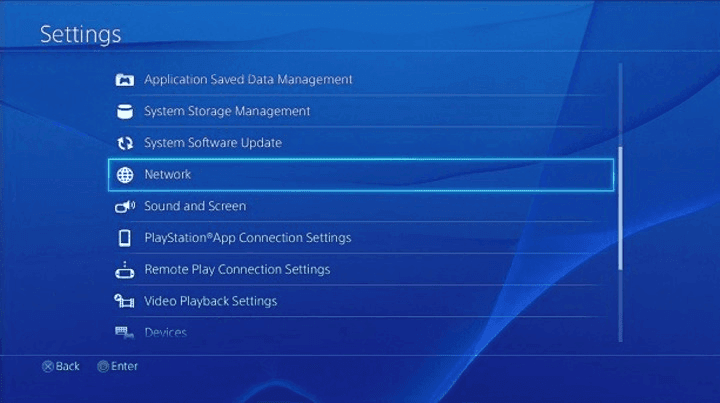
1. Go to your console settings and select the Network tab.
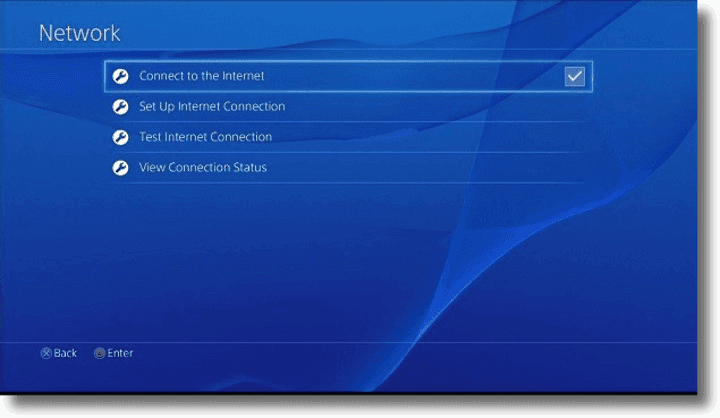
2. Click ‘Connect to the Internet’ and choose between Wi-Fi and wired connections. Enter your network password before the next step to connect via Wi-Fi.
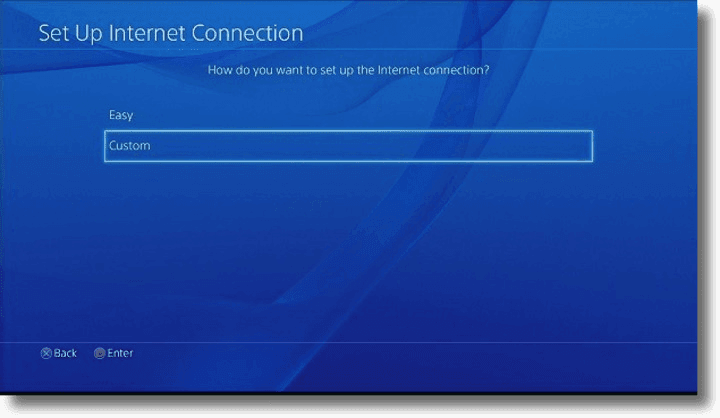
3. Click the ‘Custom’ tab. If you have chosen a Wi-Fi connection, select your network and re-enter the password.
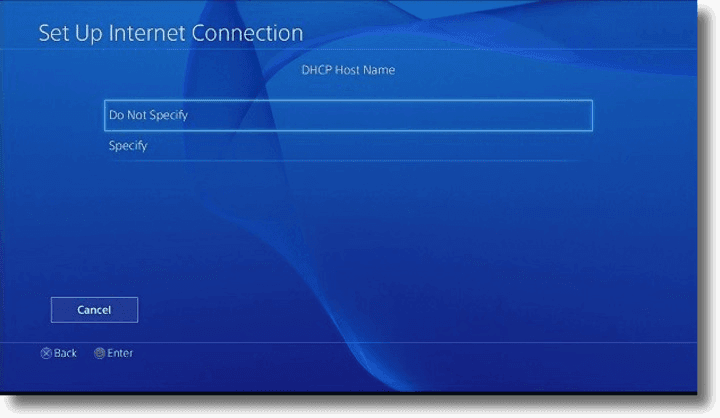
4. DHCP Host Name: choose the ‘Do Not Specify’ option.
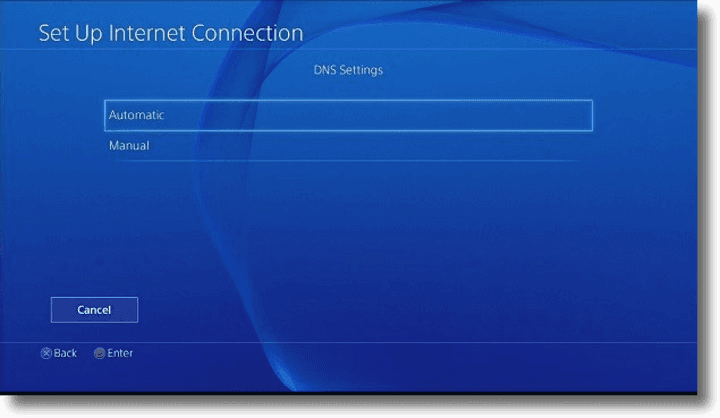
5. DNS Settings: choose the ‘Automatic’ option.
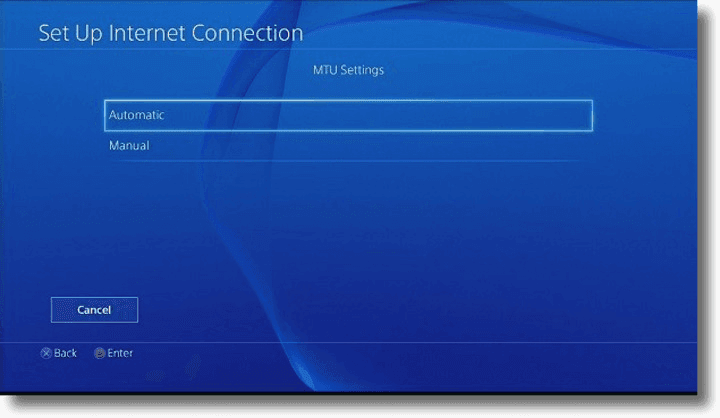
6. MTU Settings: choose the ‘Automatic’ option.
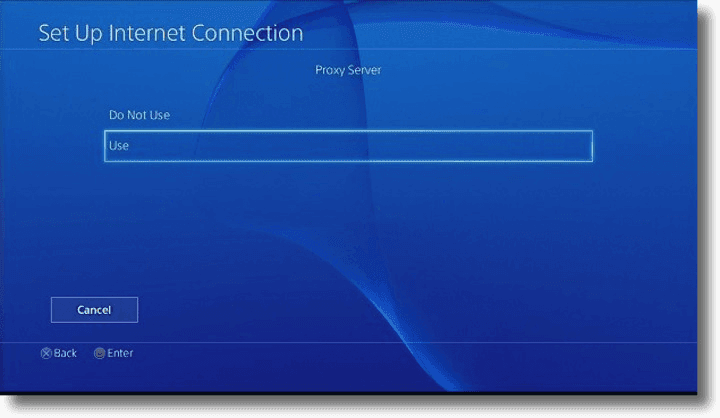
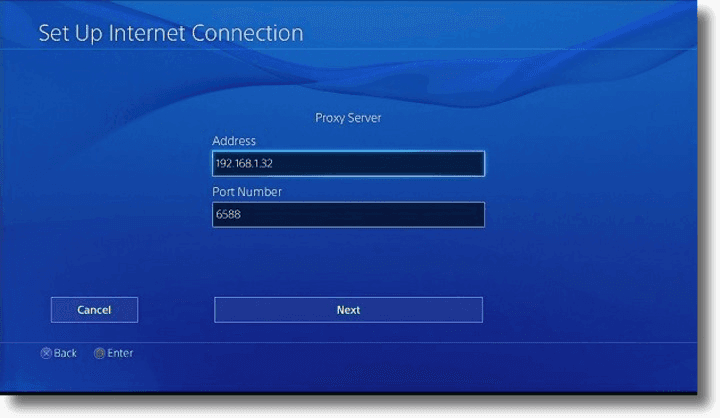
7. Proxy Server: choose the ‘Use’ option.
8. Enter your proxy address and a port number: the same one you used for setting your PC or MAC.
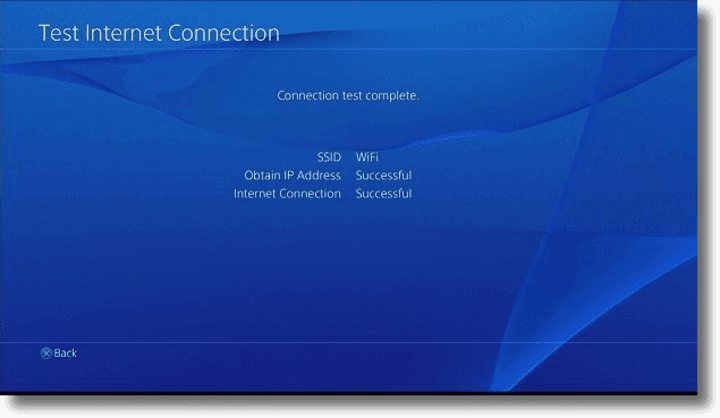
9. Save your settings and test the connection.
Strengths and Weaknesses of PS4 Proxies
PS4 proxies’ PROS include the following:
A proxy server PS4 can enable a faster Internet connection
It boosts your security and ensures IP address protection
With a PlayStation proxy, you can bypass geo-restrictions and blocked games
PS4 proxies' CONS are the following:
A good working proxy server address implies extra expenses
A wrong server can be incompatible with your needs. For instance, a mobile one won’t be the best choice for your console
Top PS4 Proxy Services: Review
As mentioned before, free proxies might disappoint you from the very first minute. Besides the fact they may not work, you also risk facing security issues. Fun fact: an Austrian programmer made his survey on free proxies using a custom script. It turned out that only 21% of such servers were safe and didn’t threaten users’ data.
So, what’s the alternative? Obviously, paying for some good service is a way out. How to find the best proxy provider, and what is the difference between various brands? Here is a brief overview of the top proxies for PS4. All of them are suitable for online gaming but have much wider use.
1. Toolip – Best Proxies for Game Server Testing Across Platforms
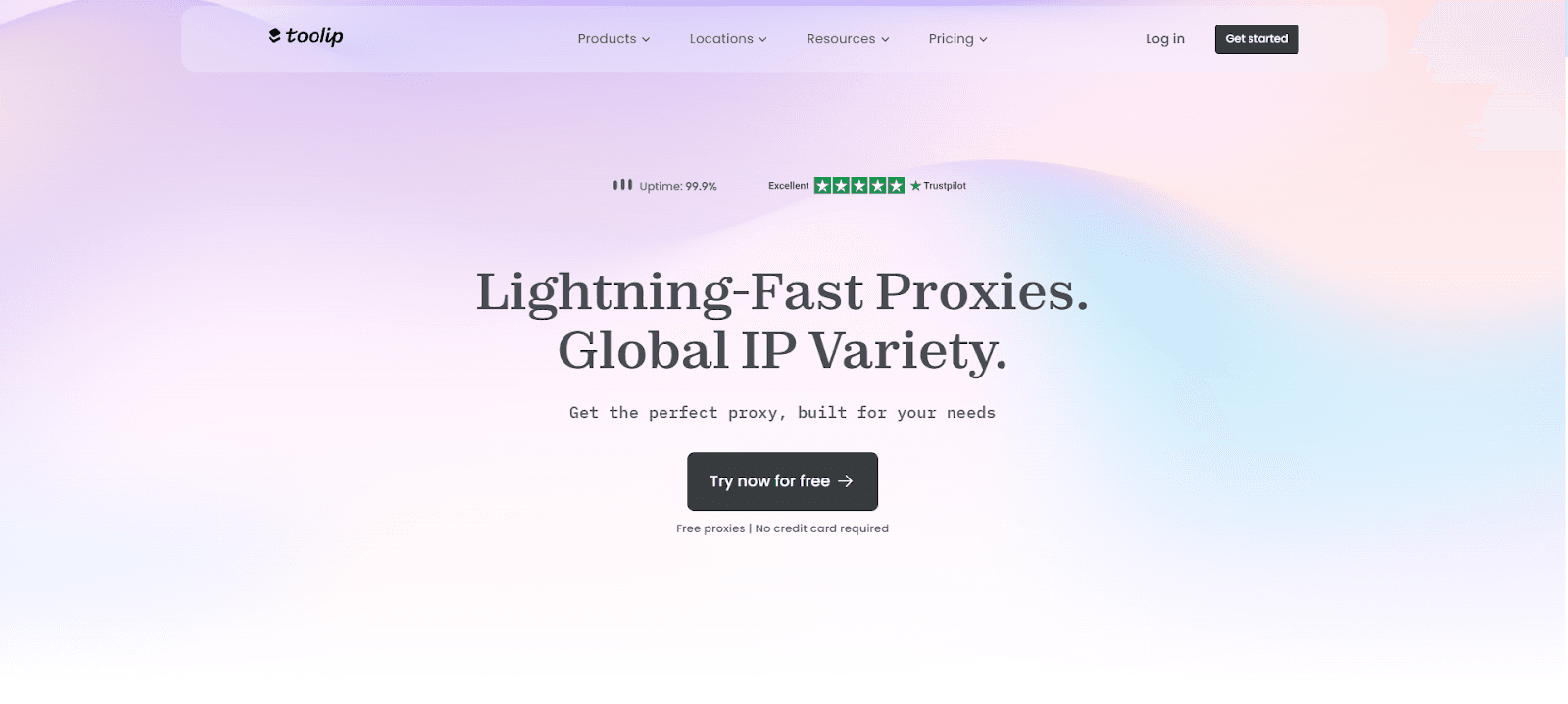
Toolip Proxy is ideal for testing game servers across platforms like PS4, Xbox, and PC, with rotating IPs ensuring anonymity. I connected to servers in the US, Europe, and Asia to test a multiplayer game, and their city-level targeting helped me measure ping and latency accurately with no interruptions. Their exact geo-targeting down to the city level let me test servers in certain areas, such as measuring latency in Los Angeles against London, which was vital for maximizing my game's performance. Even throughout extended sessions, Toolip's 99.9% uptime guaranteed my testing performed uninterruptedly. Their support for HTTP, HTTPS, and SOCKS5 protocols made the configuration flexible for several testing situations. Toolip offers five proxies in a free trial, which I utilized to verify their server testing performance—steady speeds without latency. Toolip Proxy is a dependable option for PS4 gaming server testing.
Show detailsHide details
Key Features:
72M+ IPs across 195 countries for global streaming access.
Precise geo-targeting at the city or ASN level for targeted streaming.
Easy setup for PS4 with detailed console configuration guides.
Supports HTTP, HTTPS, and SOCKS5 protocols for versatile usage.
99.9% uptime for uninterrupted streaming and gaming.
Free trial with 5 proxies to test performance on PS4.
24/7 support via live chat and email for quick assistance.
Best suited for PS4 game server testing, latency monitoring, and performance optimization.
2. MobileProxy — The Most Reliable Private Proxies for PS4
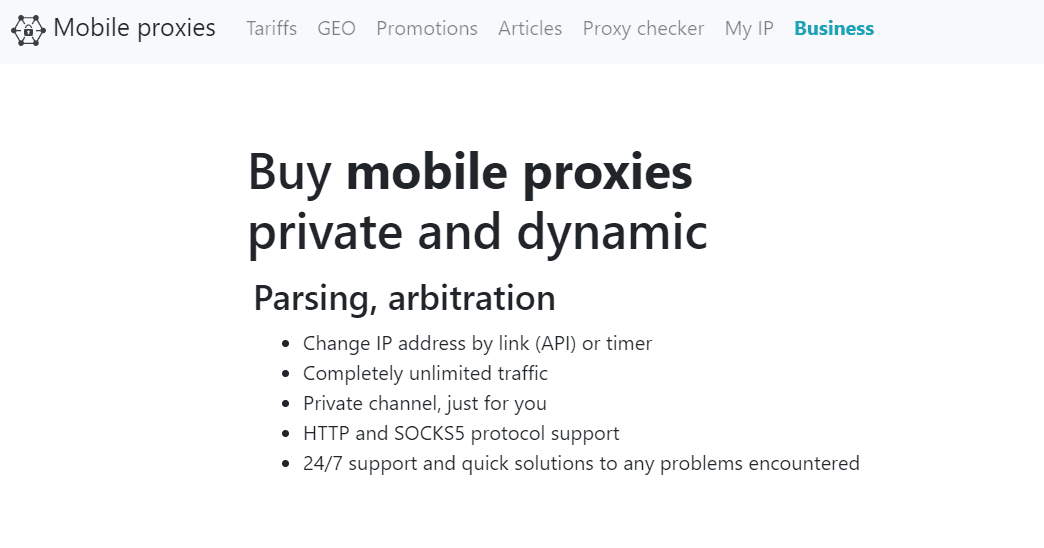
As the name suggests, the service provides mobile proxy solutions. What is unobvious of the name, yet very important for gamers, is that their IPs are all sourced from GSM operators. The service never simulates a GSM channel. That makes their PS4 proxy servers super reliable. MobileProxy’s pool contains about 2M IPs — users can autonomously change those by API or timer. They can also change geo or a GSM operator with their control panel—no need to contact the support team for that.
Show detailsHide details
Pricing for PS4 proxies depends on how long you will be using the package as well as on the location. All tariffs include unlimited traffic and a private channel. Key Features: Private mobile proxies for PS4, unlimited access and traffic, change IP by API or timer, a 2-hour free trial, and a free proxy checker. Best Suited for registering multiple accounts.
3. Oculus – Best for Server Load Testing Across Gaming Platforms
Oculus Proxy is a top pick for server load testing across gaming platforms like PS4, Xbox, and PC, offering high-speed proxies with 1 Gbps bandwidth. I simulated multiple users on servers in the US, Europe, and Asia, and my tests ran smoothly with no delays or interruptions. Their country-level geo-targeting let me test servers in certain areas, like load times in Chicago vs. Paris, which was vital for maximizing server performance. While I ran sticky sessions up to 10 minutes for consistent connections during long tests, like simulating high traffic for an hour, Oculus provides automated IP rotation to keep your actions anonymous. Their support for HTTP, HTTPS, and SOCKS5 protocols made the configuration flexible for several testing situations.
Show detailsHide details
Key Features:
300K+ IPs across 150+ countries for global gaming access.
Low-latency connections with up to 1 Gbps bandwidth.
Automatic IP rotation or sticky sessions up to 10 minutes.
Supports HTTP, HTTPS, and SOCKS5 protocols for compatibility.
99.99% uptime for uninterrupted competitive gaming.
Free trial with 5 datacenter IPs and 100 MB of data for 7 days.
Trusted by over many clients with a 4 star TrustPilot rating.
Best suited for PS4 server load testing, performance optimization, and latency monitoring.
4. NodeMaven – Best SOCKS5 Proxies for Stable PS4 Sessions
NodeMaven is a strong pick for PS4 if you want clean IPs and a connection that doesn’t shift mid-session. Every residential IP goes through a quality filter before it’s assigned to you, so you spend less time cycling through blocked or slow addresses. Sticky sessions last up to 24 hours, which helps during long downloads, store browsing, or online sessions where a sudden IP change breaks the connection. NodeMaven supports SOCKS5, HTTP and HTTPS, and lets you target by country, city and ISP across 150+ countries, which is handy for region-specific PlayStation Store access or for connecting through a location closer to the game server.
Show detailsHide details
Key Features:
30M+ residential IPs and 295K+ mobile IPs in 150+ countries and 1,400+ cities.
SOCKS5, HTTP and HTTPS support for easy setup on PC, router or proxy apps.
Sticky sessions up to 24 hours, or rotation per request when you need it.
IP quality filter that screens out low-trust addresses before you get them.
ISP proxies with UDP support and unlimited traffic for long, steady sessions.
Traffic-based plans from $7.99 for 2 GB per month, with unused traffic rolling over; a 750 MB demo costs $3.50.
Unlimited concurrent sessions and a quality guarantee with bonus traffic for confirmed blacklisted IPs.
Best suited for stable PS4 sessions, region-specific store access, and lower-lag connections through locations closer to game servers.
5. Live Proxies – Best for Stable PS4 Sessions on Private Residential IPs
Live Proxies is a strong pick for PS4 if you need a steady connection. Its rotating residential proxies support sticky sessions for up to 24 hours, and the provider itself says sticky mode is generally better for performance than turning it off. For console use, that matters during longer downloads, store browsing, or sessions where you do not want the connection to shift too often. The provider targets both individuals and businesses, and its B2C offer is built around private IP allocation. The main self-serve locations are centered on the US, Canada, and the UK. For PS4 users, that helps if your goal is region-specific store access or a more predictable setup for North American and UK content.
Show detailsHide details
From a safety and setup perspective, Live Proxies feels better suited to people using a stable home network than to someone looking for a one-click gaming tool. Individual proxies use HTTP connections, and they appear in the dashboard right after purchase (activation is quick, too). One extra detail worth knowing: unmetered plans require source-IP whitelisting. So, the setup is easier to live with when your home IP does not change often. Key Features:
Rotating residential plans start at $70, with the entry option listed as 200 IPs / 4 GB / 30 days.
Sticky residential sessions up to 24 hours, which is more useful for longer PS4 sessions than ultra-short rotation.
No-sticky use is possible, but Live Proxies itself notes that sticky mode is generally better for performance.
U.S. state residential plans are available on the self-serve side, which can help with region-specific console tasks.
Unmetered residential plans are offered (but they require source-IP whitelisting before they will work).
The enterprise side expands to 10M+ IPs in 55+ countries, with HTTP, SOCKS5, and SQUID support plus city/ZIP/ISP targeting.
Best suited for PS4 store checks, region-sensitive browsing, and longer download sessions.
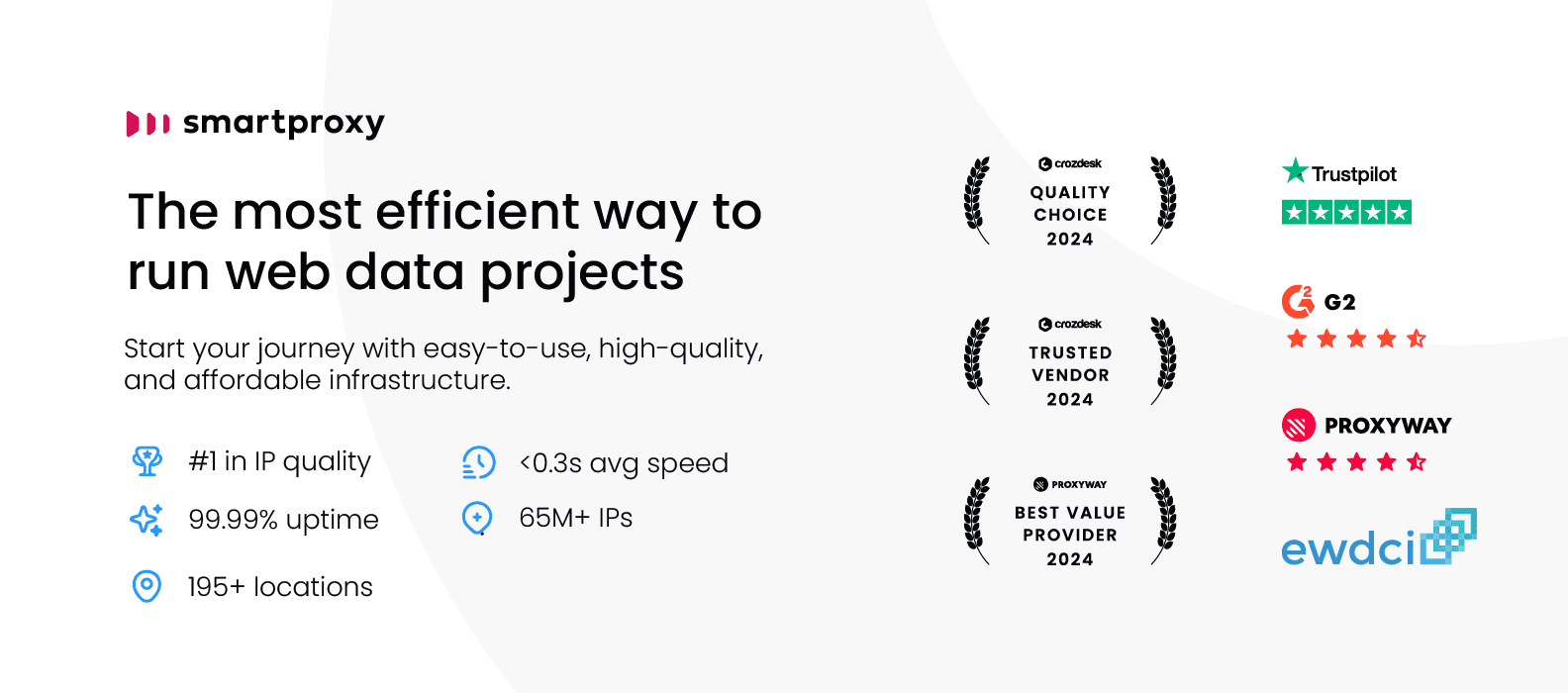
6. Decodo (ex.Smartproxy) – Best for Proxy Speed and Latency
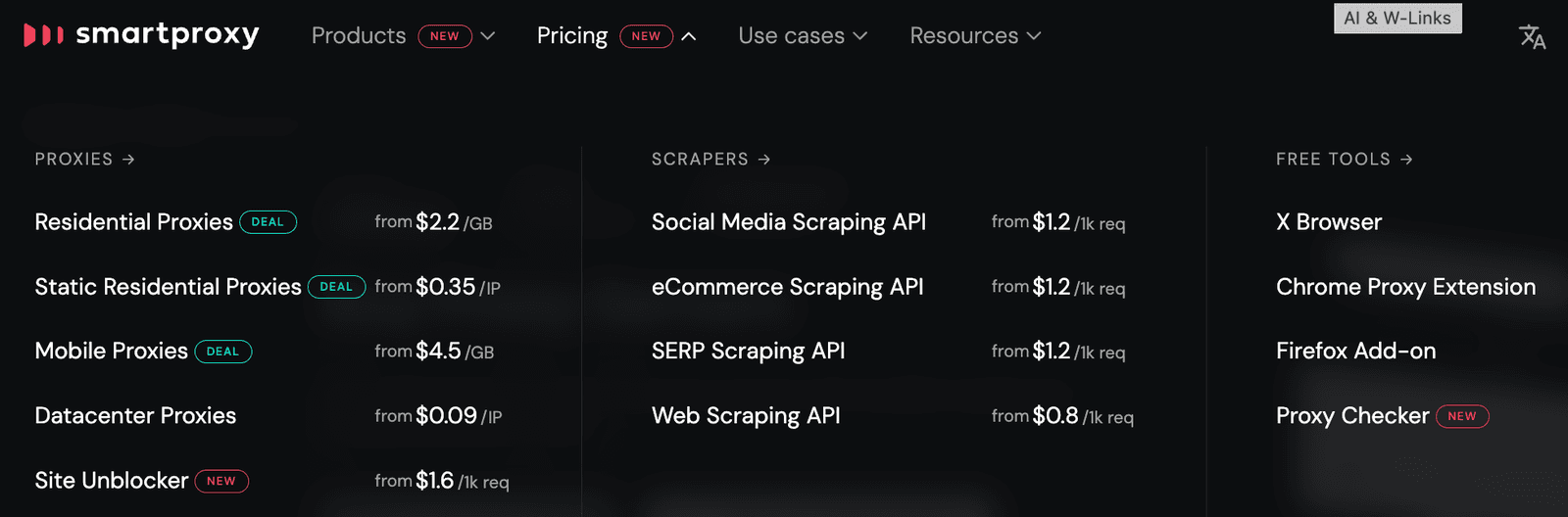
Next, I employ Smartproxy solutions for work. Without a doubt, they’re industry leaders when it comes to extra tools and add-ons. And many of them are free! I’ve long installed its X Browser (for multi-accounting), Chrome Proxy Extension (not to touch system settings), and regularly resort to their Free Proxy Checker. Specifically for ProxyBros readers: Smartproxy offers a free trial of its residential proxies.Claim Discount
Show detailsHide details
And given that its paid Scraping APIs (for Social Media, SERP, and eCommerce) usually save me lots of time, I pick their residential proxies and rush to my PS4. As you probably already know, residential proxies are connected to a particular device, not a data center. It means MUCH when you need to look like a real person when playing on PS4. At Smartproxy, we’ve also got diverse PS4 proxy rotation options and precise geo-targeting… And I’ve never EVER bumped into any problems or issues with any restricted game with the proxy servers for PS4 from this provider. As for the prices…
Key Features:
Each subscription plan provides access to an extensive network of 55 million+ ethically sourced IP addresses.
PS4 proxies here support HTTP(S) and SOCKS5.
The average response time is less than 0.5 seconds.
Unlimited concurrent sessions and a remarkable 99.68% success rate.
Options for both rotating and sticky sessions.
An excellent reputation.
Best Suited for avoiding lags and delays in PS4 gaming experience.
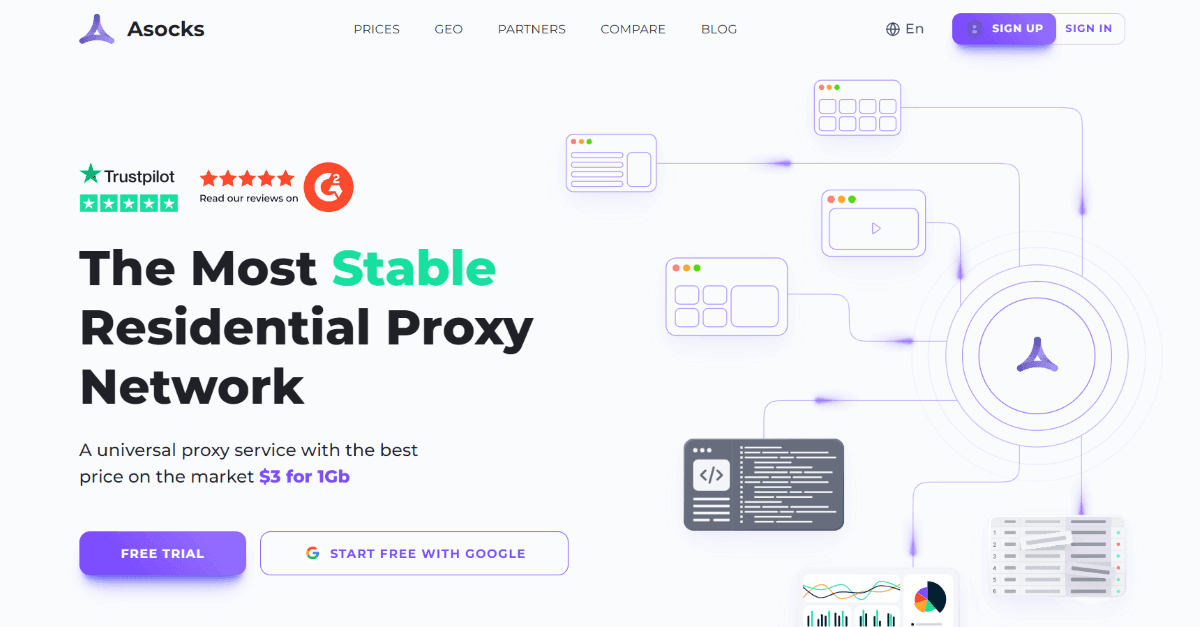
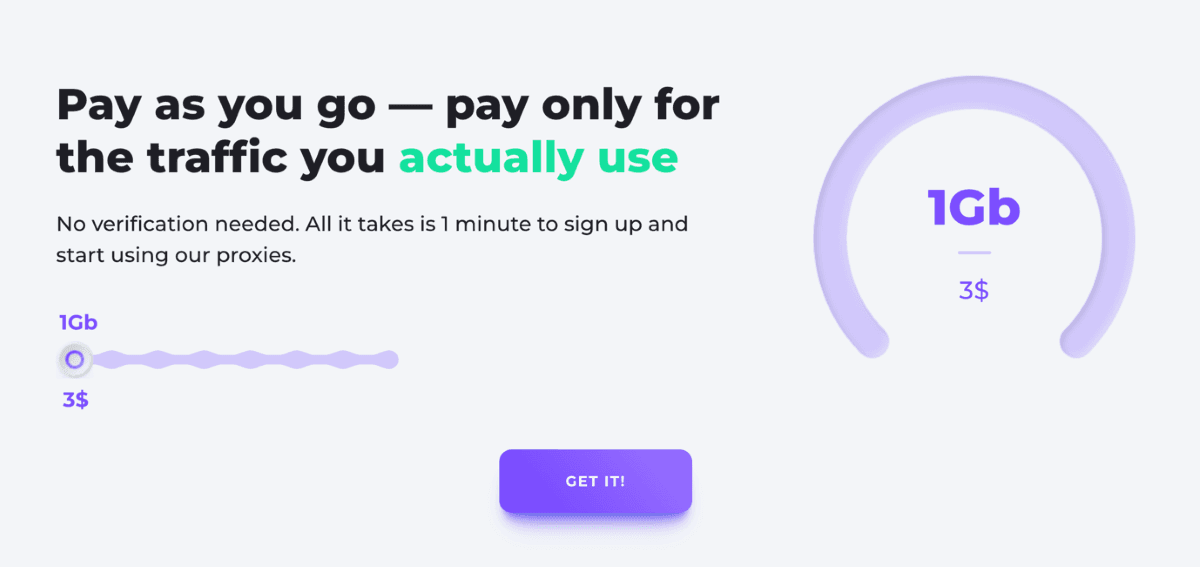
Asocks offers residential proxies — both rotating and static — for various needs, including PS4-related tasks. Its pay-as-you-go rate allows you to purchase only the required traffic volumes at a fixed price of $3 per 1 GB. With more than 9mln IP addresses in stock, ASocks.com gives users access to a massive pool of genuine, trusted residential proxies for a reasonable price.
Show detailsHide details
Key Features: 3GB free trial, over 190 locations, transparent, convenient pricing plan Best Suited for PS4 gaming and online security.
8. MangoProxy—The Securest Proxy Servers for PS4 Gaming
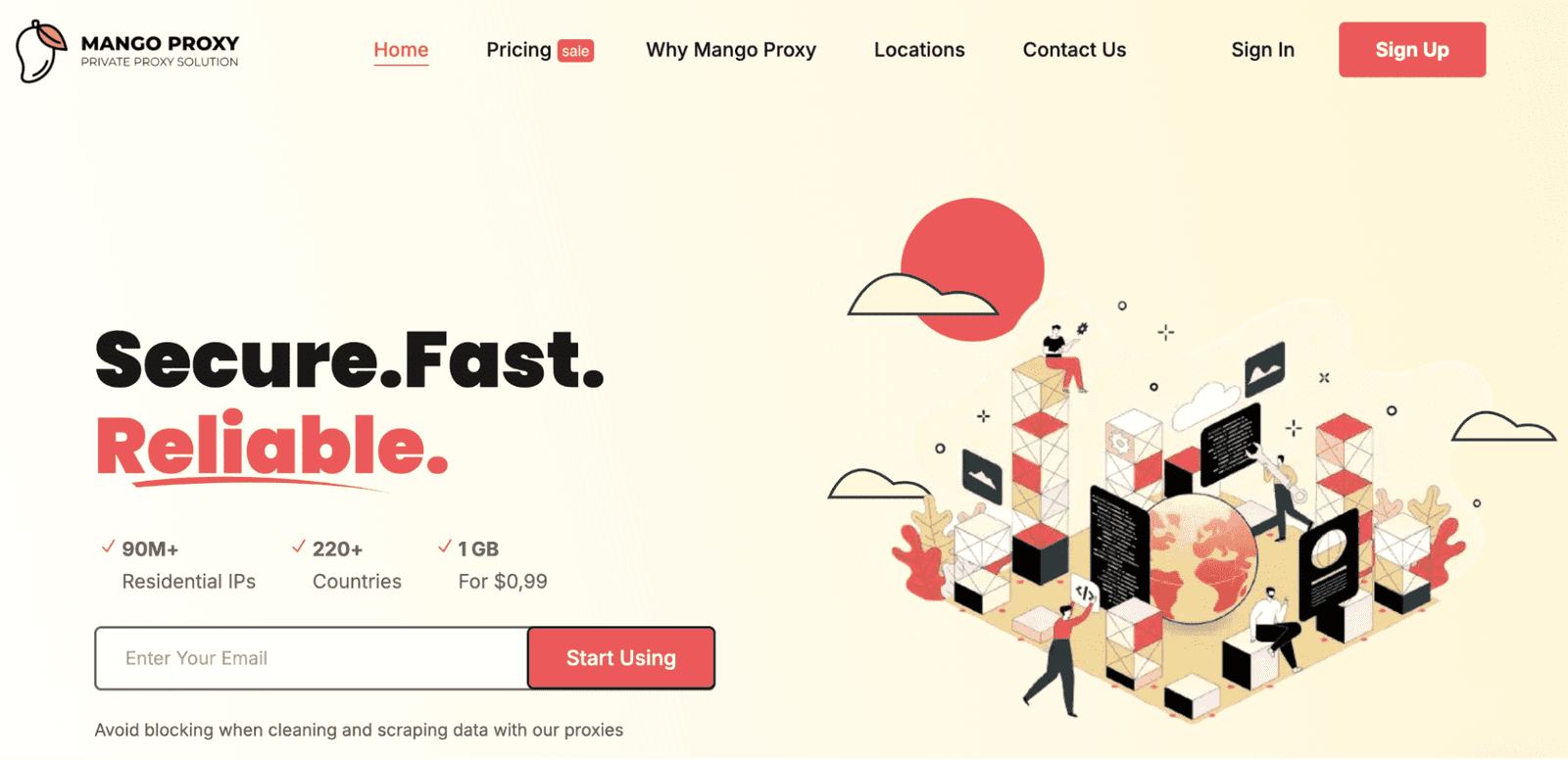
What features do you usually prioritize when selecting a PS4 proxy? High-speed connections? Unlimited bandwidth? Large IP pool? Well, in this case, MangoProxy fits the bill just perfectly. With its sustained premium residential proxies, Mango Proxy has held top positions among the choices that exist as of now. Its PS4 proxies keep great anonymity and have really stable connections. With more than 90 million IP addresses in over 220 countries, this is something that can clearly bypass geo-restrictions, which I have personally tested.
Show detailsHide details
Their PS4 proxy servers work with all major connection protocols like HTTP, HTTPS, and SOCKS5. They also offer a high number of other use cases and granular geolocation targeting at the city, state, region, or ASN level.
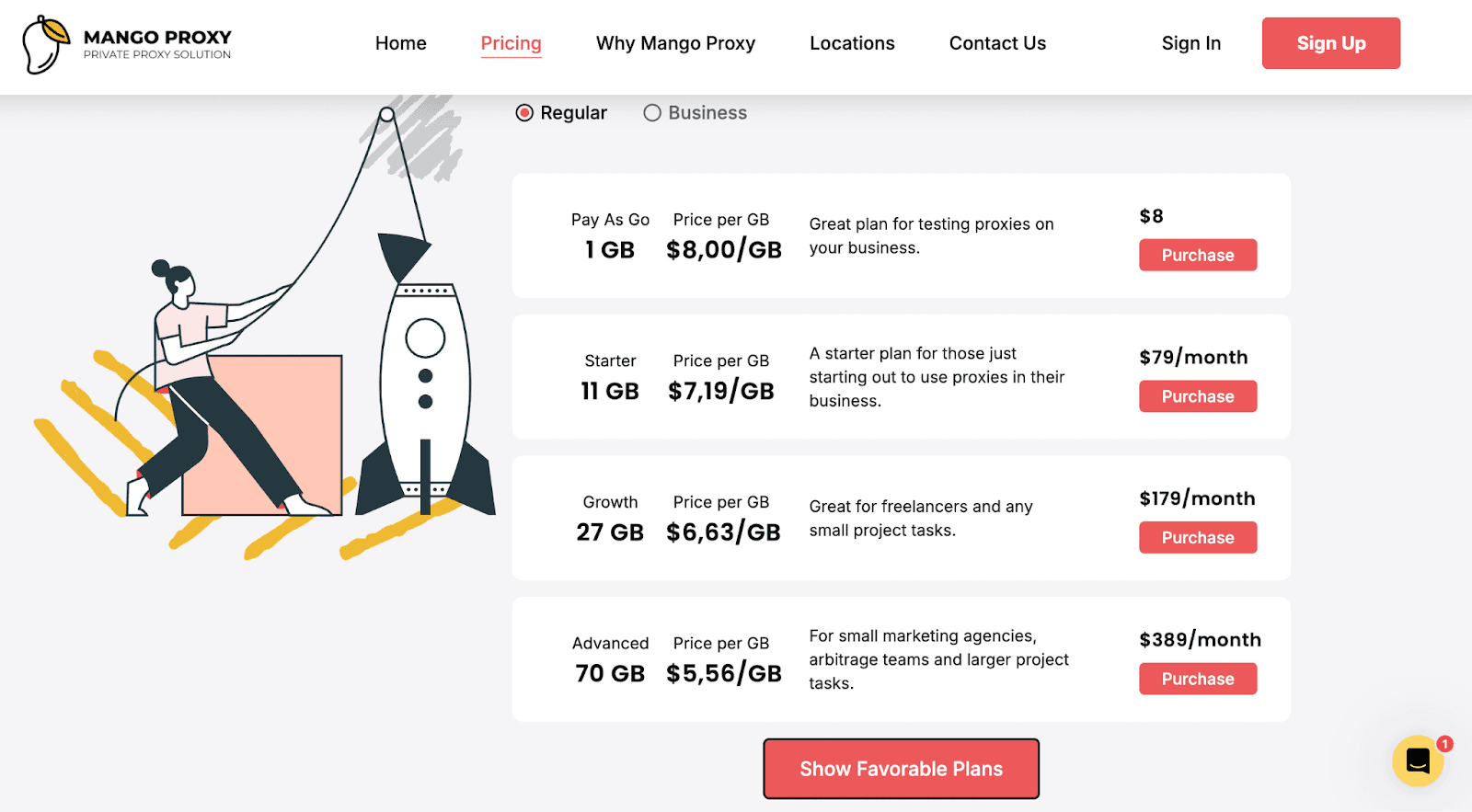
Mango Proxy has two pricing models to meet different requirements: Regular and Business. They even have a refund policy that lets you cancel any order within three days! Key Features: over 90 million IP addresses available in more than 220 countries; approximately 0.7-second response time; no limit on concurrent sessions. Best Suited for online gaming and personal browsing.
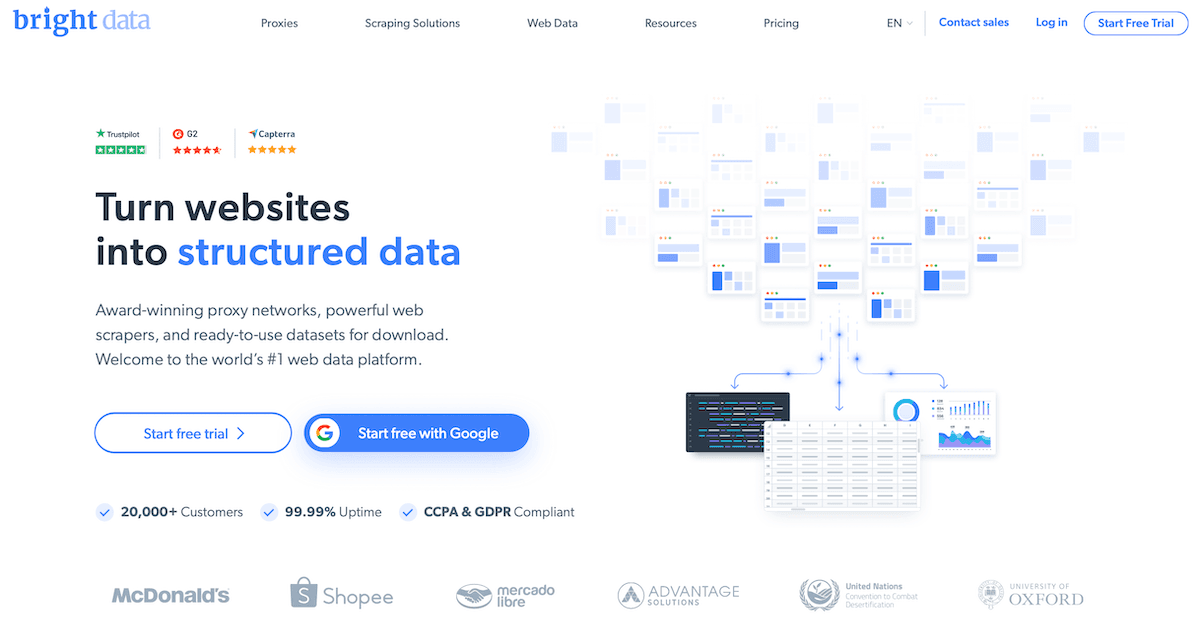
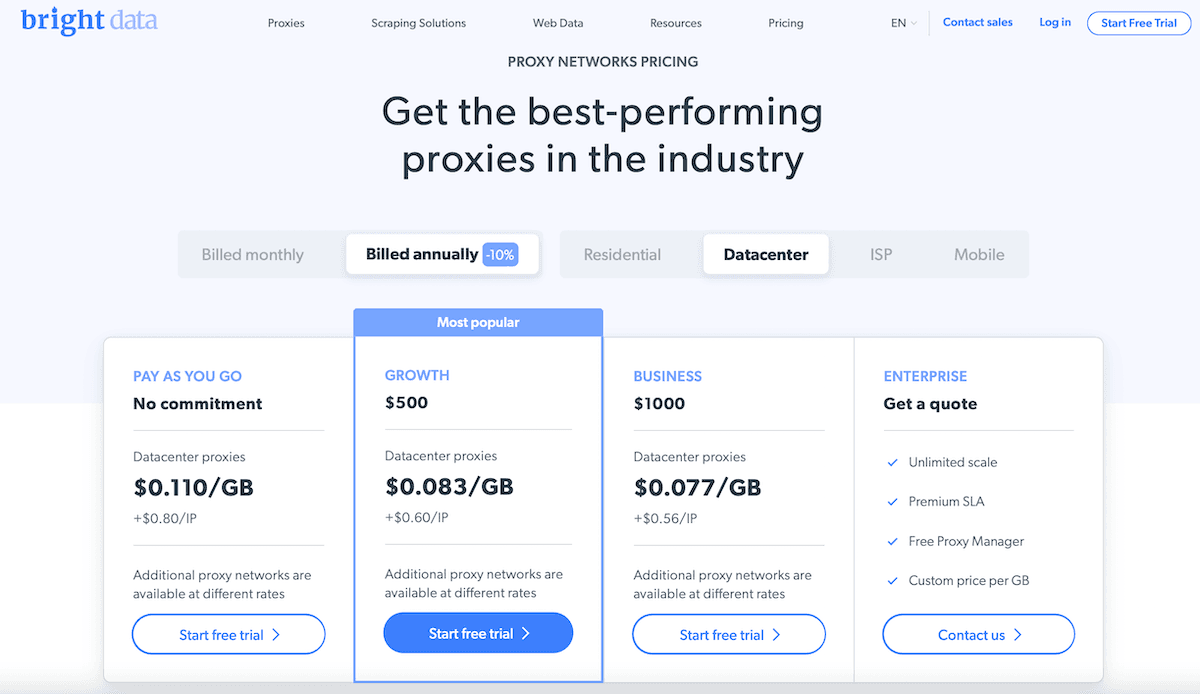
Although Bright Data is not the cheapest option, it’s definitely worth its price. It offers a large base of different proxies, with more than 72 million IP addresses. The choice involves shared and exclusive IPs, and you can select from 195 countries.
Show detailsHide details
The IP options include datacenter, residential, static residential, and mobile addresses. Every type has various price plans, depending on your needs. The cheapest datacenter option starts at $0,8 per IP plus $0,11 per GB. If you subscribe for long-term use, you can opt for various discounts.
Key Features: a large database, unlimited sessions, extension for Chrome, and a personal manager. Best Suited for online gaming, SEO scraping, and ads verification.
10. AnyIP.io – The Fastest and Safest PS4 Experience with Proxies
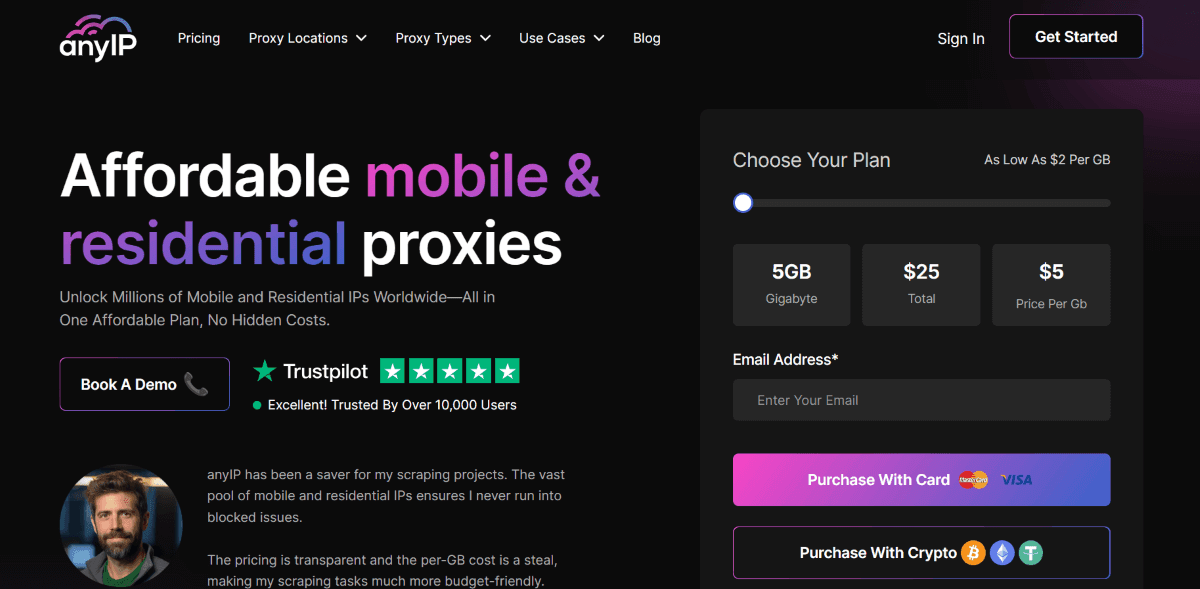
AnyIP.io positions itself as a companionable proxy provider designed specifically for various scraping and marketing needs. However, the more I played on PS4 and chatted on gaming forums, the more inclined I was to use this PS4 proxy provider. And here’s why:
Affordability and Extensive Network: AnyIP remains cost-effective while providing access to a vast global network featuring over 30 million IPs.
Protocol Support: This PS4 proxy provider supports both HTTP and SOCKS5 protocols, ensuring compatibility with a broad range of software applications.
Show detailsHide details
Compatibility: AnyIP ensures flawless integration with all types of software, which is a Must for gamers, right?
Request Success Rate: With an impressive 98.6% request success rate, these proxies for PS4 establish their service as a reliable and efficient solution for gaming endeavors.
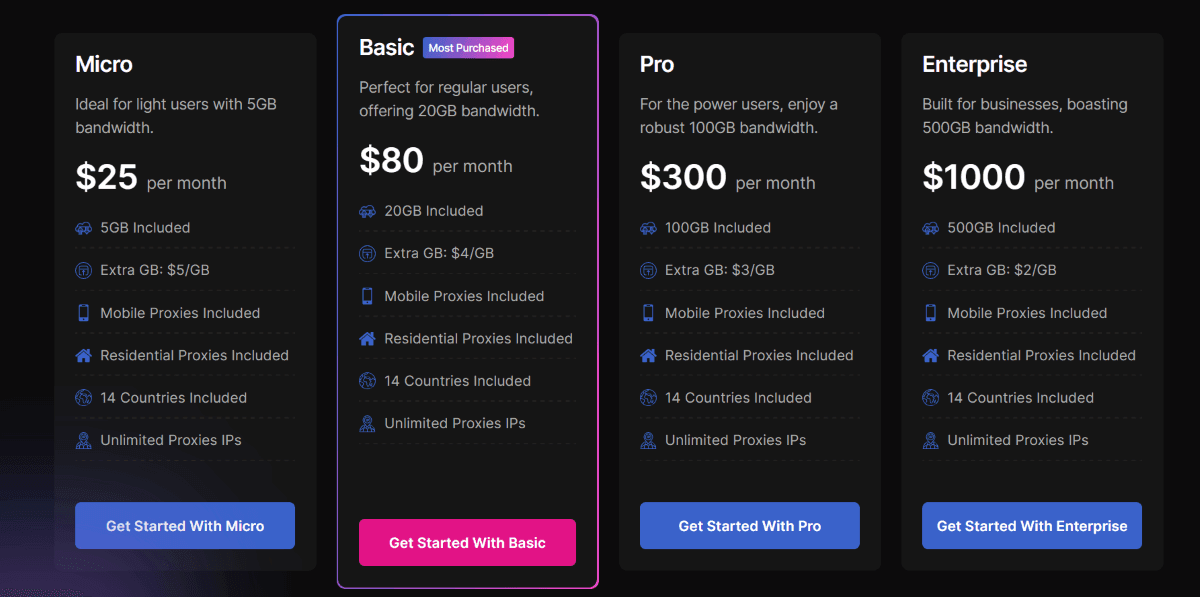
Moreover, the company offers extensive access to a diverse range of global mobile and residential IPs. In addition to PS4, you can employ them for sneaker copping, web crawling, and scraping Instagram. Remember that AnyIP is more than a mere reseller! Against its peers, it sets itself apart by maintaining a distinctive network of unique IP addresses. What about prices, you may ask? It is pretty affordable; check for yourself:
Key Features: 98.6% success rate, HTTP/SOCKS5 protocol support, 30M+ IPs, unlimited IP rotation. Best Suited for secure online gaming, data collection, and web scraping.
ProxyEmpire offers a decent selection of PS4 proxies issued from 170+ countries with an impressive proxy pool of 1 million unique IPs available daily and 10+ million IPs — monthly. Among the intermediary types provided are residential, datacenter, and mobile servers of rotating and static modes. These PS4 proxies can boast a high connection rate and decent ping, making them a perfect choice for gaming. Also, ProxyEmpire can boast great filtering options — you can practically target all their intermediaries by country, region, city, and even ISP / ASN.
Show detailsHide details
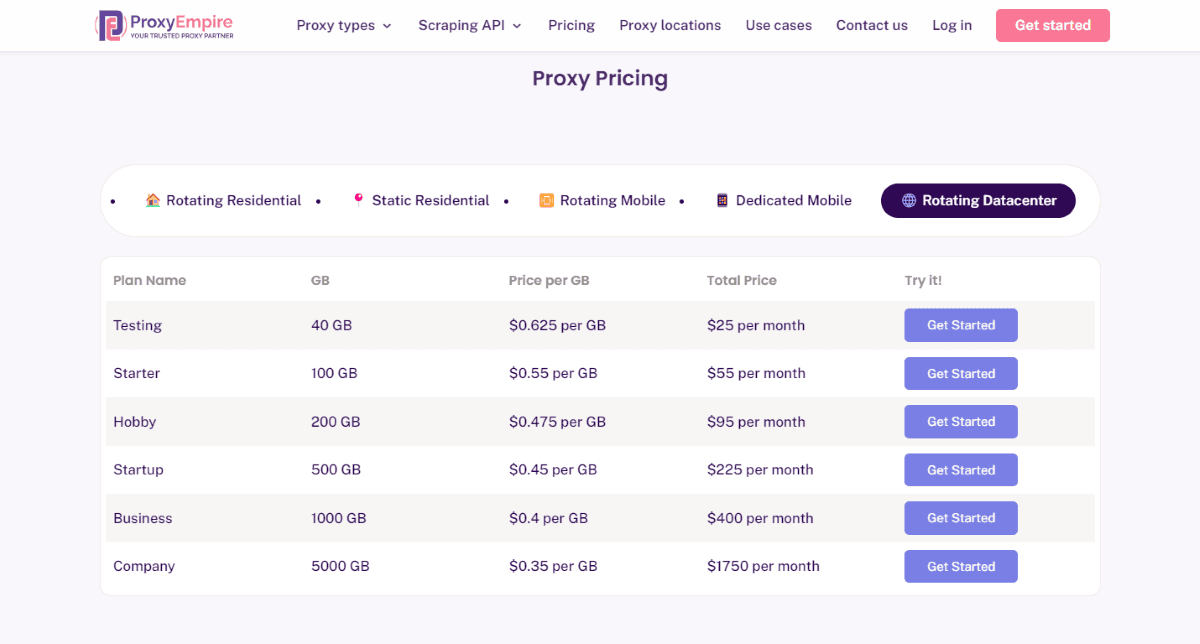
Each proxy type has specific pricing plans, which I find rather affordable. The cheapest plans start at $0.35/GB and are set for rotating datacenter servers.
Key features: a large proxy pool, advanced session control, unlimited bandwidth, and 99% uptime. Best suited for online gaming, web scraping, account management, and circumventing geo-blocks.
12. ProxySeller — Affordable Options and Convenient Search
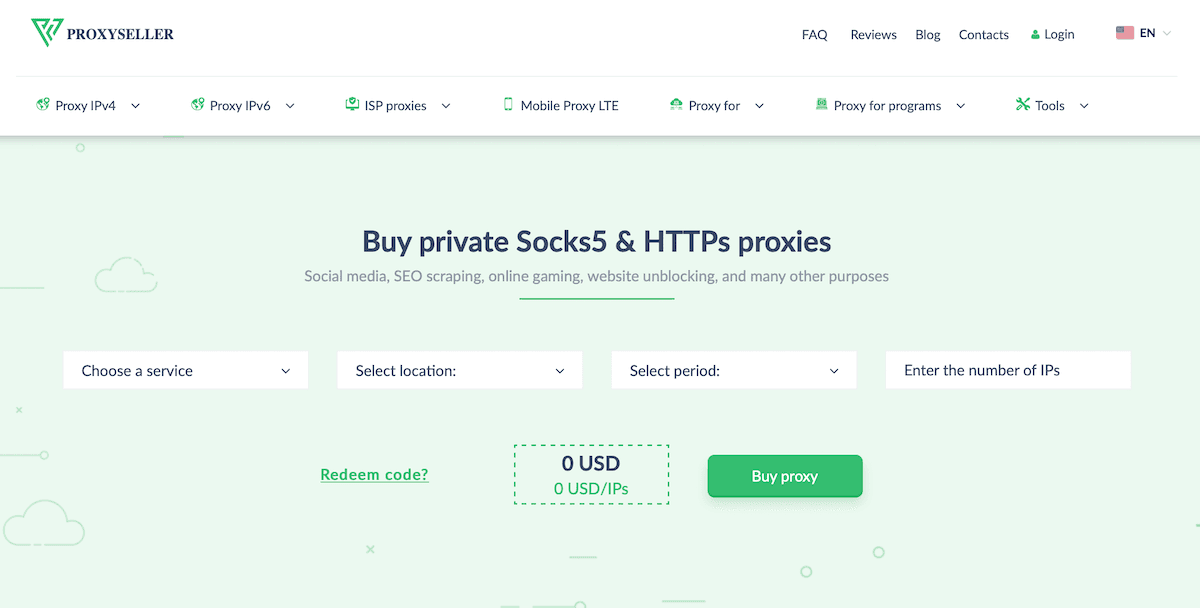
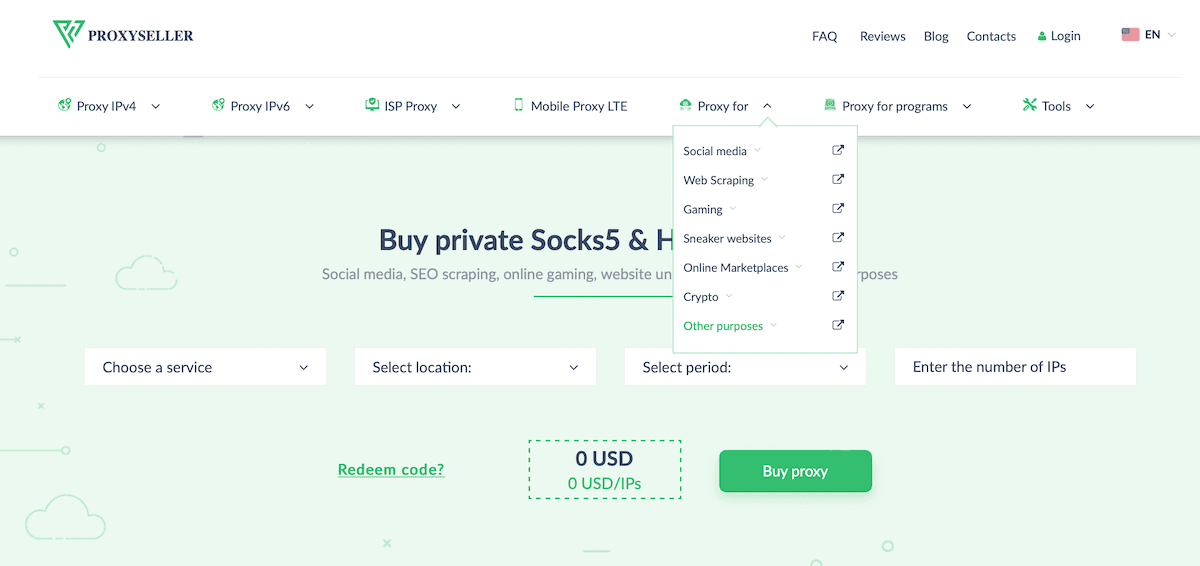
Proxy-Seller allows you to find a server for basically any need. It features a very user-friendly search bar with various filters. For instance, you can simply order a product best suitable for online gaming and even choose a particular game.
Show detailsHide details
Proxy-Seller offers more than a hundred networks and three hundred subnets. You can choose between IPv4 and IPv6 options, with most of them having unlimited bandwidth. Simply, it means you will always have a stable connection speed. If you are not satisfied with your order quality, Proxy-Seller will make a refund or replace your purchase with an alternative option. Its customer support is overall good. Some customers complain about a pretty long delivery time, though: up to a couple of days after payment. Key Features: unlimited bandwidth usage, affordable price, and subnets ban protection. Best Suited for bypassing geolocation restrictions, social media marketing, SEO scraping, and online gaming.
13. ProxySale — The Largest Proxy Pool for Private Usage
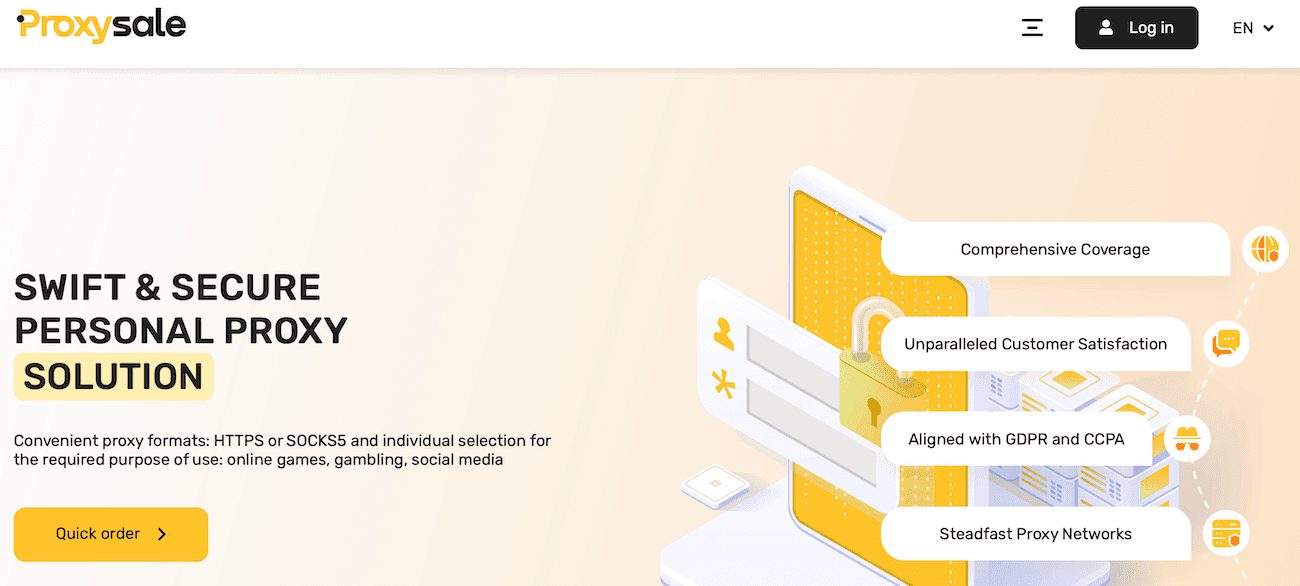
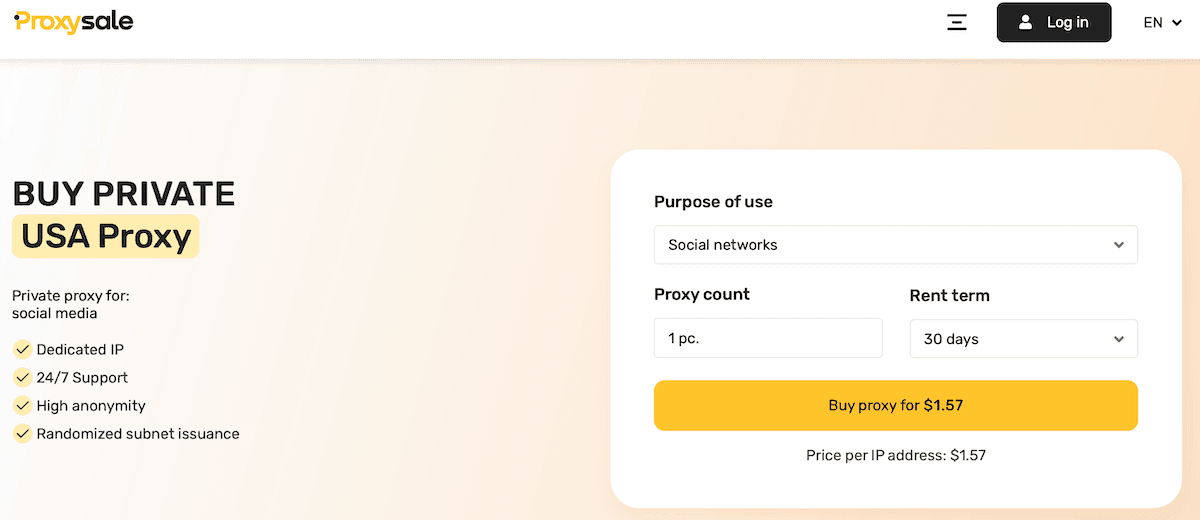
Although you can use ProxySale for any needs, it still works best for individual purposes. Mindblowing speed and a dedicated team are the main reasons to choose this specific service. Besides, it will perfectly suit your gaming needs as ProxySale can guarantee you the highest speed and security levels. The pricing for proxies is also convenient and varies depending on the country you select. You can also check this site's handy discounts for purchasing a stack of 10/20/30 or more proxies at once.
Show detailsHide details
Key Features: reasonable pricing, compatibility with any site or program, moneyback guarantee, ability to test the service while purchasing one proxy for the shortest period. Best Suited for online gaming and private usage.
14. StormProxies — Cheapest Solutions with the Money-Back Guarantee
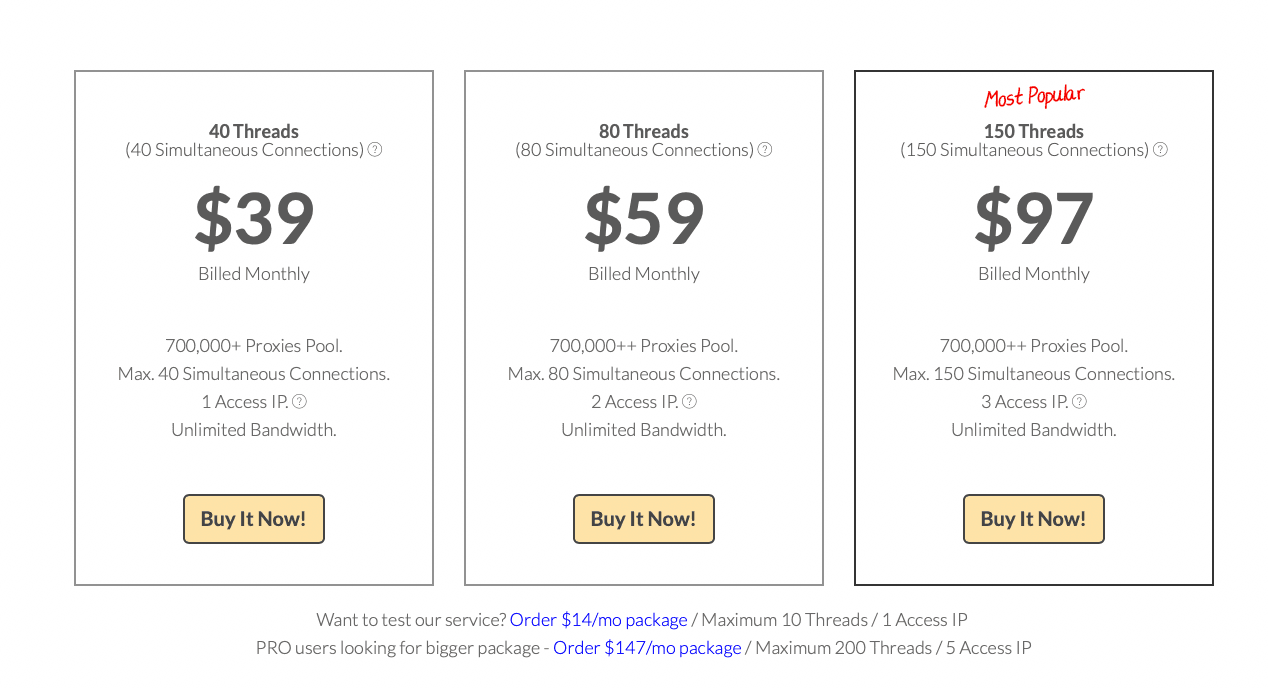
StormProxies can’t be proud of the broadest selection of countries and has only 700 000+ IPs. You can only find US and European addresses here, but it doesn’t affect the quality of your order. With this service, you can be sure your connection will be stable and smooth. If you don’t require any extended features and need an address just for your personal use to play games, StormProxies is a place for you. Its pricing is more than affordable: the cheapest option is only $39 for a monthly plan.
Show detailsHide details
Key Features: great connection speed, competitive price, money-back guarantee, and instant delivery. Best Suited for online gaming, SEO scraping, and running multiple accounts.
15. Rayobyte — Unlimited Bandwidth for a Reasonable Price
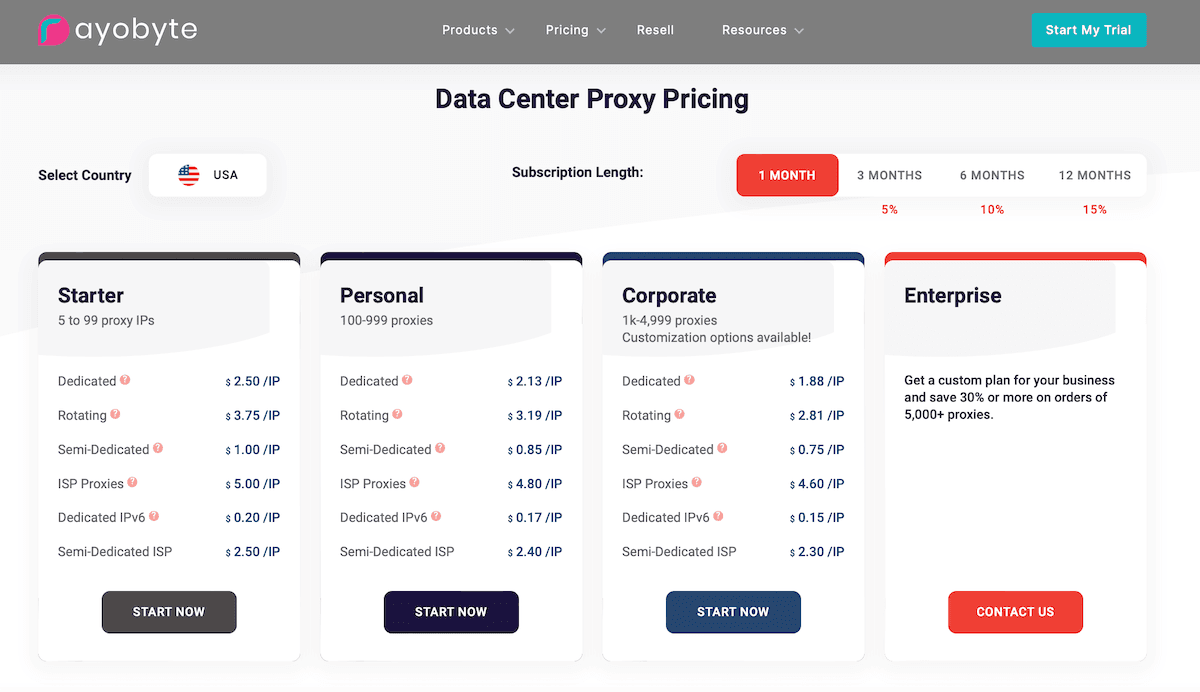
Rayobyte ensures that you receive prompt and relevant support anytime you need it. Besides, it offers very affordable pricing plans. And if you are unsure about the service, you can opt for a two-day trial. Although Rayobyte is cheap enough, it guarantees a flawless connection with unlimited bandwidth. Besides, you will not face issues if some servers are banned. Rayobyte automatically replaces such addresses with active ones.
Show detailsHide details
Key Features: 2 days free trial, a wide choice of locations, and flexible pricing plans. Best Suited for online gaming and Internet security.
A proxy server is a third party between your PC, console, or mobile device and the web resource you want to reach. Proxies hide your real IP address and guarantee privacy while helping solve various other issues.
What is the best proxy server on PS4?
There are many proxies suitable for online gaming. Among the favorites are BrightData, Smartproxy, Rayobyte, StormProxies, ProxySeller, and ProxySale.
Is there a free proxy server PS4?
Yes, you can opt for proxy servers for PS4, which are widespread everywhere on the Internet. However, you should be careful with them, as they don’t usually give the best level of protection. ProxyBros recommends using paid, trusted services to avoid a PS4 IP lookup and other issues.
Is it legal to use a proxy server?
Yes, using proxies for various purposes, including online gaming, is permitted unless you do something illegal with them.
Top Proxy Servers for PS4 Gaming: Improve Your Connection & Speed