
NodeMaven Proxy Review 2026: Features, Prices & More
I tried NodeMaven because I needed a proxy network I could rely on for security work. What I needed was predictable performance for geo checks, OSINT collection, and tough targets that block fast when fingerprints drift. On this page, I break down my impression of this provider. I’ll tell you about the quality of proxies you get, how the dashboard behaves, how the traffic model affects the work, and what my testing showed.

When analyzing the proxy, we have conducted in-depth research that helped us reveal all the strong and weak points of the service. Considering expert opinion and customer feedback, our pros studied the range of options and, finally, tested the service.
Here are the steps we followed when conducting research:
Analyzing the customer feedback
We have visited several forums devoted to proxy discussion and even participated in it. We have studied reviews on reliable resources with only one purpose – to make our review precise.
Getting to know the expert opinion
We have communicated with experts in the proxy industry. To uncover some hidden pitfalls, we asked professionals about its key features. In our review, we will tell you everything you need to know about the strong and weak points of the proxy provider.
Studying Terms & Conditions
At this point, experts have studied the legal basis. They have touched upon the place of registration, owners, achievement, reputation, and so on.
Exploring proxy types
To understand the quality of services the company provides, we test each of the proxy types it offers. The range of proxy types can vary as well as their quality.
Evaluating the quality of support
The support team reflects the reliability of the company hence it is essential to check it. We pay attention to response time, the communicative skills of managers, and the usability of the service. Besides, our expert becomes a real user to get into the situation of purchase.
Testing the service
We have checked the proxy provider’s backward and forwards. To make our research full and deep, we have tried out all proxy types offered there. Our experts have analyzed the work of servers paying attention to their features and functionality. In our review, you can look through a detailed description of features.
Comparing
Our experts have compared this proxy with other popular services. In their comparison, they have touched upon the pricing, set of features, and characteristics. You can find out more in the Comparison section of the website.
- Threat intel / OSINT collection, geo-restricted web verification, incident response recon, brand-abuse monitoring, fraud research, and controlled automation.
- 99.99% uptime, which seems to be true;
- The 4.5 out of 5 rating on Trustpilot;
- The IP quality filter concept + pre-checking posture;
- Sticky proxy connections up to 24h;
- Residential, mobile, and ISP proxies available under one account;
- Smaller locations can be uneven in depth;
- The demo version is not a true free trial in the usual sense;
Characteristics
- IPv4
- IPv6
- English
- Russian
- 150+ countries, 1400+ cities
- Residential Proxies
- Mobile Proxies
- ISP Proxies
- SOCKS5
- HTTP
- HTTPS
- Dolphin Anty
- Undetectable
- AdsPower
- MoreLogin
- VMlogin
- BitBrowser
- Chrome Browser (Proxy SwitchyOmega)
- Proxifier
- Shadowrocket
- GoLogin
- Incognition
- Hidemyacc
- DICloak
- GeeLark
- Multilogin X
- Playwright
- ixBrowser
- Octobrowser
- XLogin
- A scraping browser to bypass anti-bot systems;
- IP quality filter logic aims to reduce low-trust addresses before you hit targets;
- Sticky sessions can run up to 24h and can be customized (seconds-based control in docs);
- Traffic rollover appears in the pricing feature list (important if your usage of proxies spikes);
- The integration hub that covers common automation stacks and anti-detect web browsers;
- The NodeMaven Official community touchpoints;
Overview
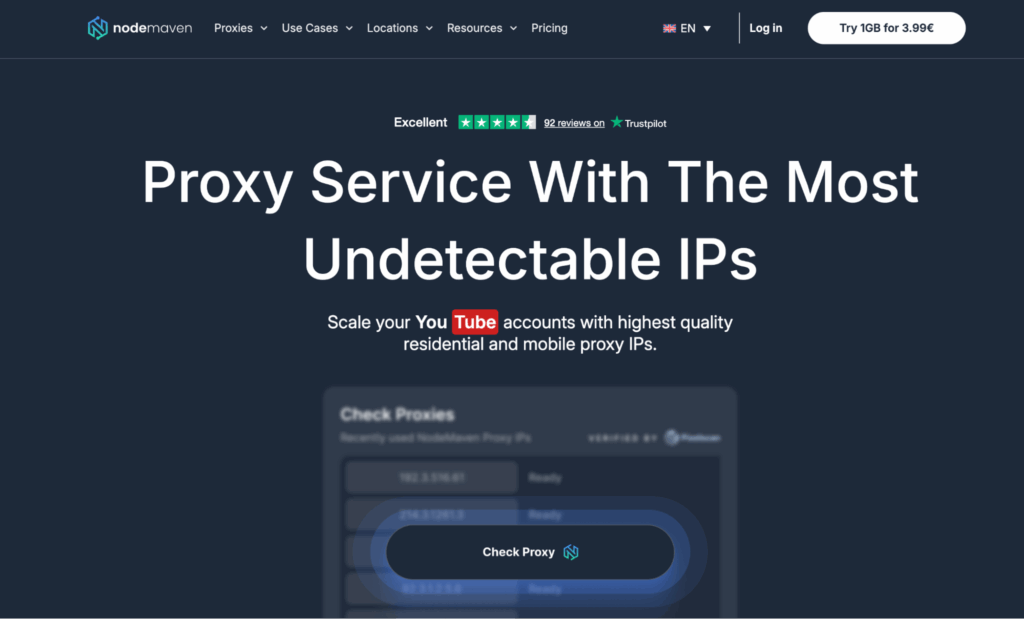
Most proxy services fall into two types: cheap and chaotic, or premium and predictable. From what I saw, NodeMaven comes from the second bucket. The pitch centers on quality control (filtering IPs before assignment) and unusually long sticky encrypted HTTPS connections for a residential proxy network.
In my security work, I need a proxy to do what it’s supposed to do reliably. It should load the same target from multiple locations to provide repeatable evidence for my notes and reports. It should also re-check a suspicious page every hour without tripping rate limits and keep attribution clean while I collect data. If the pool is dirty or the location is sloppy, I lose time fast.
I used all three parts of their stack: residential IPs for broad coverage, mobile proxies for stubborn online targets that behave differently on carrier ranges, and ISP addresses where I wanted stability.
My main takeaway: it’s a solid provider when you measure, log, and tune things. Even with unlimited concurrent sessions provided, I still throttle and back off on 429s.
Featured
Residential Proxies
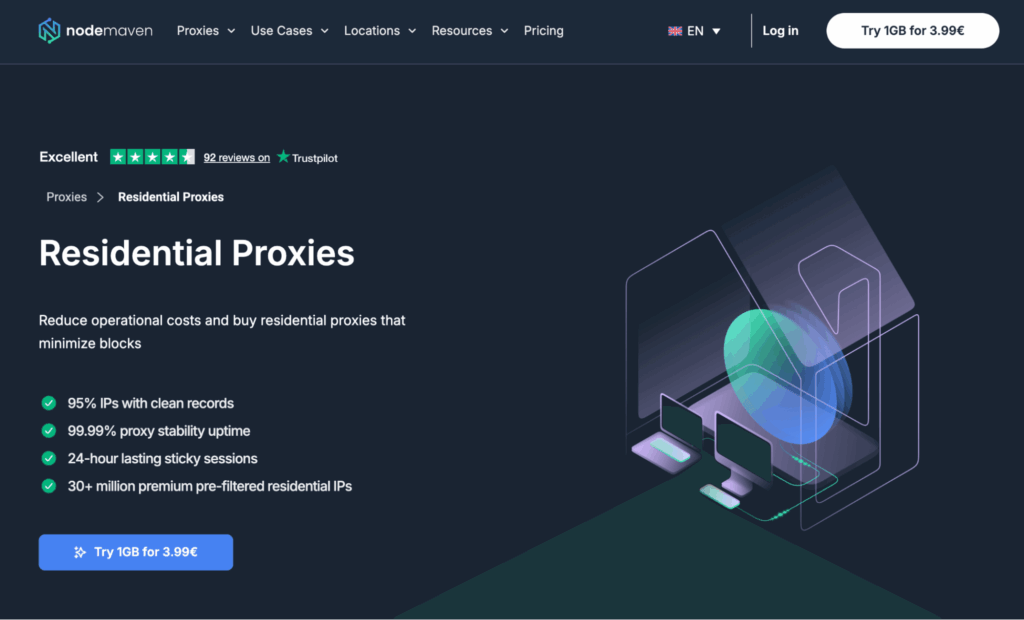
Residential proxies by NodeMaven were the easiest fit for my workflow. I used them for geo verification, OSINT collection, and routine web checks where I needed normal-looking IPs. The pool of 30M+ addresses looks solid, but what stood out to me more was how often I got usable addresses without having to churn through bad ones first. That becomes possible with the filter-first posture – the key value-add (I’ll cover it in more detail later on, so keep reading).
Having added these premium residential proxies to my routine, I saw more predictable behavior once I locked a country/city and settled on rotation. In my own testing table, residential routing landed around 99.2% success in the US and 99.4% in Germany on rotating mode, with sub-second average response times in those locations.
Sticky sessions were the second practical advantage of this provider. For session-dependent flows (multi-step pages, logged views, or anything where a target ties state to IP), I could keep continuity without getting forced into a new address every few minutes. Geo consistency was also good enough. When I targeted locations like Germany or the UK, I didn’t see any geo drift that ruin OSINT notes.
Mobile Proxies

When dealing with online resources that weigh carrier reputation heavily, I opted for mobile proxies. They helped me when residential traffic hit extra friction – higher CAPTCHA frequency, faster rate limiting, or flows that seemed to behave differently on mobile networks. NodeMaven bundles mobile capacity into the same ecosystem (per your plan), which makes it easier to switch tactics mid-investigation without juggling two services.
Performance-wise, sticky mode in tougher regions stayed in the high-98% range (for example, 98.7% in Singapore sticky in my table). What I also noticed most was fewer immediate blocks on picky targets when retries were spaced out correctly.
The real cost of mobile I noted is bandwidth and rendering weight (especially with JS-heavy sites). If your job is raw data capture via APIs, you can keep traffic down. But if you’re rendering full pages, budget accordingly. On the upside, NodeMaven’s clean records and filtering ensure that the pool behaves consistently enough to be useful for repeated checks.
ISP Proxies
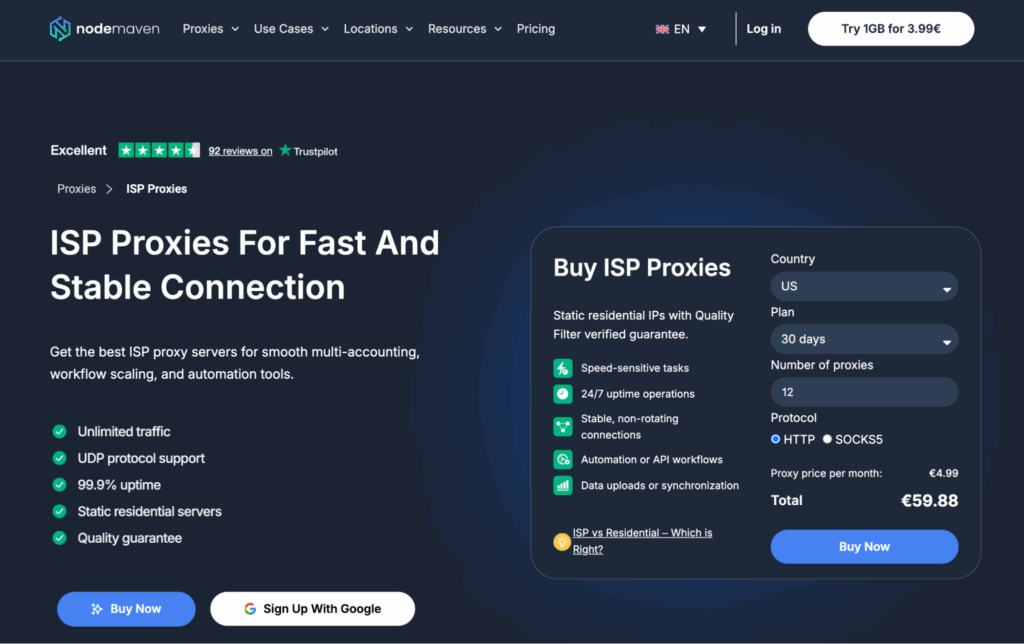
When I need the same IP and the same posture for a long window (and I don’t want carrier variability), an ISP proxy is my go-to option. I rely on this service for tasks like repeated access validation, long-running monitors, or controlled automation where I want minimal rotation.
What’s worth mentioning about this provider is the UDP support. On modern platforms using HTTP/3 over QUIC, the lack of UDP can be a silent tell that you’re on a proxy path. NodeMaven explicitly markets ISP as supporting UDP. The practical impact I care about is fewer breakages on modern stacks and fewer false negatives when a target behaves differently under newer transport layers.
The other big ISP advantage is operational cost control for heavy use cases. Unlimited traffic can be a real win if your workflow involves continuous access, data synchronization, or long-running automation.
IP Quality Filter
Alongside a decent proxy pool, NodeMaven lets you filter IP addresses before you’re assigned them. This filter is built around a merged set of multiple reputation databases and pattern checks that try to predict which IPs are likely to perform poorly. The provider also mentions checks for common leaks (proxy DNS and header leaks).
In my early runs, I didn’t encounter proxies that were dead on arrival. That IP quality filter allowed me to spend less time burning traffic cycling through blocked ranges and less time diagnosing failures that were really just bad IP history.
Features like this also help keep success rates stable. If you’re running automation or scraping where failed requests cost you time and bandwidth, that quality-first posture means a lot.
Scraping Browser

In addition to quality proxies, NodeMaven offers its own Scraping Browser. It comes in handy when a target platform punishes heavy JavaScript, bot scoring, or flows that break as soon as a fingerprint shifts. Instead of gluing together tooling, proxy endpoints, and rotation logic, you run a managed browser in their cloud. The provider handles the rest: proxy routing, unblocking, and session continuity.
For security work, this tool adds a lot. If you need repeatable geo checks, OSINT snapshots, or to re-test a redirect chain across locations, a managed browser paired with premium residential or mobile proxies gets you there. You keep the same Playwright/Puppeteer/Selenium scripts, then swap locations and session behavior as needed. Sticky HTTPS sessions also help when a task needs continuity (logins, multi-step forms), and rotating every request would just create noise.
How to Use NodeMaven
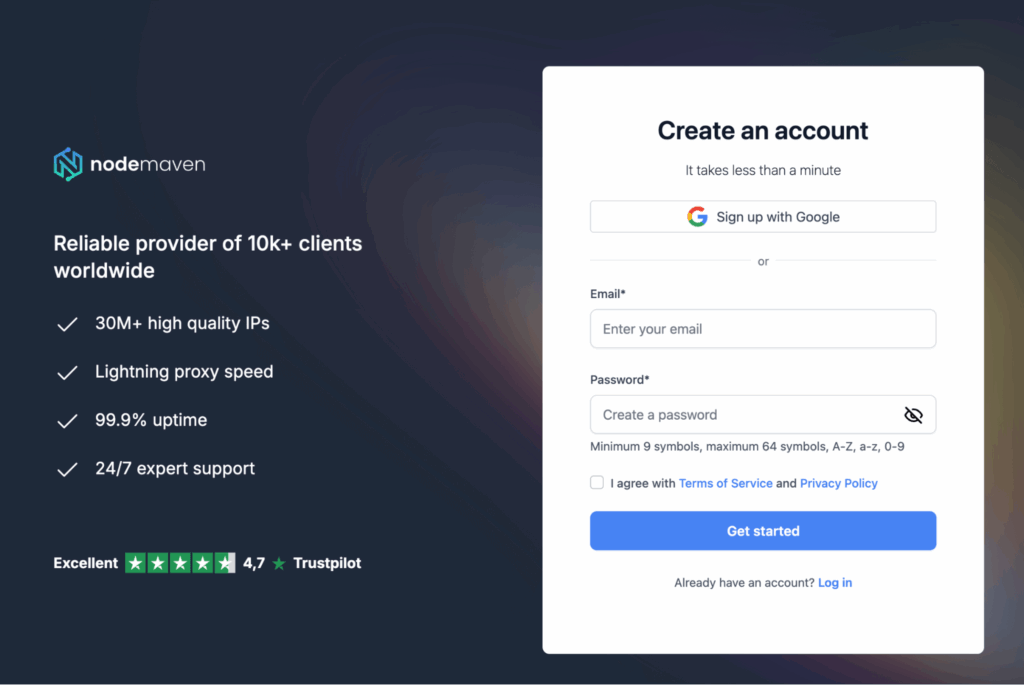
If you’ve used other proxy services, the workflow will feel familiar with this provider. It all starts with the account creation at the NodeMaven site and then choosing the right subscription plan for your needs.
- Register
Create an account, confirm your email, and get into your proxy dashboard platform. I recommend using a work email if you want faster handling of the business questions.
- Pick your plan
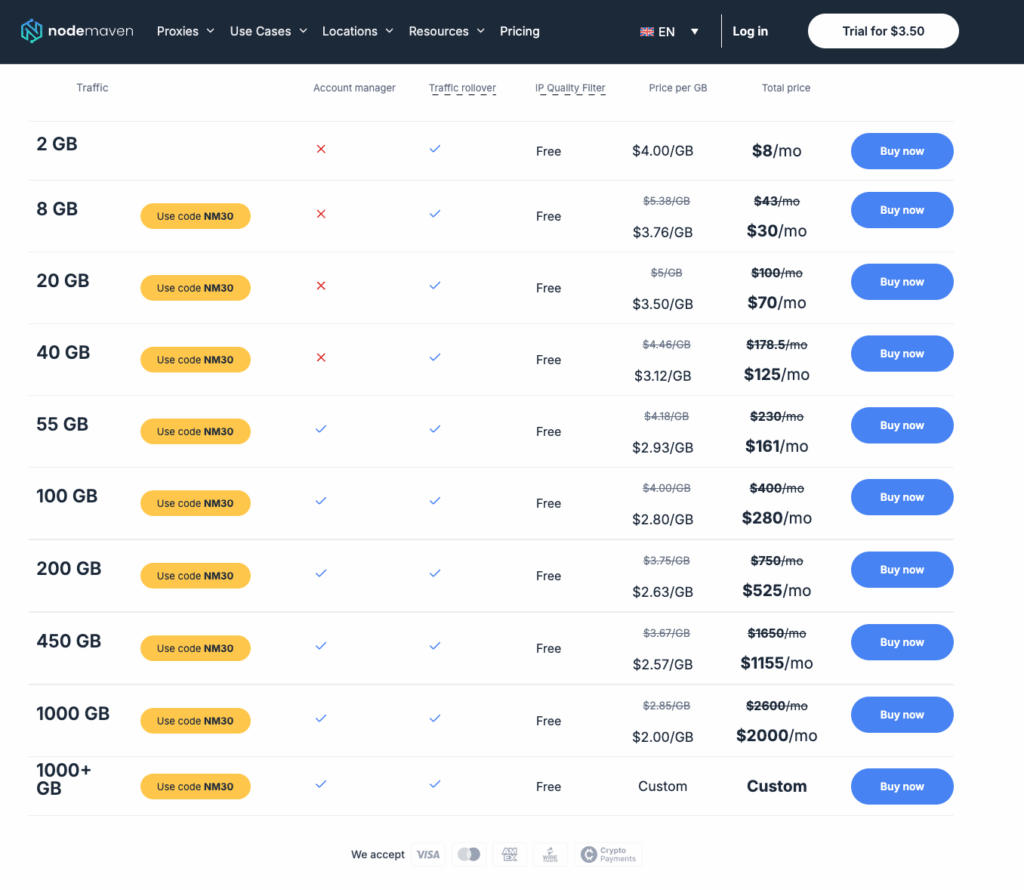
NodeMaven charges you mainly by traffic, so estimate requests and payload sizes. Small GB tiers can be suitable for a light OSINT job, but full browser scraping burns bandwidth quickly.
- Choose proxy type (residential, mobile, or ISP)
Decide on the solution that matches your tasks. Residential proxies work for broad coverage. Mobile endpoints might be more suitable when the carrier reputation changes the outcomes. Those who want the same posture to stay steady across longer sessions may want to use ISP.
- Set targeting (country, region, city, or ISP)
Don’t over-target by default. Overly narrow filters can reduce the proxy pool depth and increase repetition, which puts the quality of work at risk. I usually start at the country level, then tighten only if the job needs it.
- Pick rotation mode (dynamic vs sticky)
Apply rotation for broad data collection and resilience. Use sticky for logins, continuity checks, or anything session-dependent. Sticky duration offered by the provider can go up to 24 hours, which is solid.
- Generate credentials and endpoint format
The proxy dashboard gives you the host/port and auth format. This helps when multiple teammates need scoped access.
- Validate before scaling
Test 20–50 requests first. Confirm geo accuracy, response codes, and that your fingerprinting and headers are sane. Then scale. Just don’t confuse unlimited concurrent sessions with unlimited safe request rates.
- Use their guides when your tooling is picky
Some tools handle SOCKS proxies differently, and some insist on encrypted HTTPS endpoints. The detailed integration pages can save time when the UI labels don’t match your tool’s fields.
Integrations
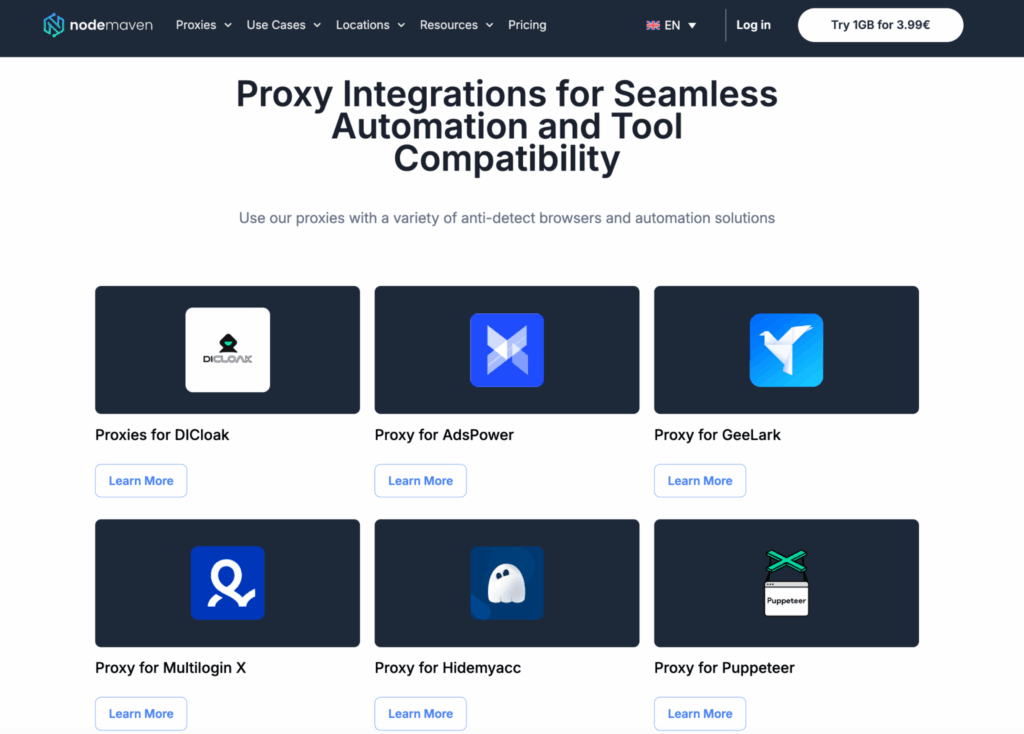
NodeMaven maintains the premium integration hub that covers common automation stacks and multiple anti-detect platforms (Selenium, Puppeteer, Playwright, Multilogin, AdsPower, and more). The value is that they show the exact field mapping and the proxy string format expected by each tool. That matters when you run unlimited headless workers and need the proxy format to stay consistent.
In my experience, I used Playwright for repeatable web capture and Selenium for a legacy harness that still powers a few internal checks. The “gotcha” is usually not the proxy itself, but the DNS behavior, TLS verification, or a library that silently ignores proxy settings for certain requests. Having a written, tool-specific setup flow reduces that troubleshooting loop.
If you’re running anti-detect browsers, their detailed integration pages can still be useful. For me, they worked as a checklist: where to paste credentials, which protocol to choose (HTTP vs SOCKS5), and how to validate that the profile uses the proxy.
Performance Testing
I tested the NodeMaven proxies the way I test most services: small samples first, then controlled repetition across multiple regions. Results vary by targeting, time of day, and your own network, so treat this as directional.
In my test setup, I ran rotating and sticky connections. Among my online targets were public HTTPS endpoints and strict platforms that commonly rate-limit. The metrics I used: success rate, median response time, p95 latency, geo consistency, and error types. Volume: ~2,000 requests per country in short bursts, plus smaller follow-up runs. The average results I saw with this provider:
| Location | Mode | Average success rate | Average response | P95 response | Notes |
| US | Rotating | 99.2% | 0.78s | 1.62s | A good baseline and low TLS errors |
| Germany | Rotating | 99.4% | 0.61s | 1.28s | The fastest of the set in my testing experience |
| UK | Sticky | 98.9% | 0.84s | 1.91s | Stable HTTPS and SOCKS5 connections, a few 429s on strict targets |
| Brazil | Rotating | 98.3% | 1.21s | 2.66s | Higher variance, but still usable |
| Singapore | Sticky | 98.7% | 0.97s | 2.05s | Consistent geo and occasional slow tail |
On average, the latency penalty was noticeable but not workflow-breaking for automation. But I don’t judge a proxy service by raw Mbps alone. Many services look fast in a synthetic test and then fall apart on real web pages. Still, I ran a basic download and upload test and got a close enough performance for routine workflows. The proxy path was slower than direct, but not wildly so, and latency stayed within a tolerable range for automation.
What I looked for beyond speed when testing these premium proxies:
- Failure shape: random timeouts are worse than consistent 403/429, because they’re harder to debug.
- Geo drift: if “Germany” sometimes resolves elsewhere, your data becomes suspect fast.
- Session behavior: sticky HTTPS connections need to stay sticky for the job window. Their docs explicitly describe sticky up to 24h and session control options.
Usability
The dashboard this provider offers is built for people who run proxy workflows metered by traffic. That means you spend most of your time in three places: generating encrypted HTTP or HTTPS endpoints and credentials, choosing targeting, and controlling rotation. On that front, the NodeMaven platform is straightforward once you internalize the vocabulary.
Where usability usually breaks for users is expectation management. A proxy network is not a VPN, and “sticky” doesn’t mean “immortal.” If a target burns an IP range, you still need rotation, backoff, and sane request pacing. So, it’s your duty to maintain operational discipline with proxies. Even with unlimited concurrency, predictable pacing beats spikes.
Pricing and Payment Methods
Proxy prices at NodeMaven are mostly based on traffic. The public pricing page shows two ways to pay: monthly and pay-as-you-go plans (both come with unlimited concurrent connections). The second option is suitable when your usage is bursty (incident-style OSINT runs, short-term monitoring, or one-off data mining jobs). You can buy a set amount of traffic, see the effective rate per GB up front, and top up only when needed. Pay-as-you-go can provide flexibility when usage is bursty.
This is not the cheapest provider, and it’s not trying to be. You pay for fewer bad IPs, better targeting, and operational stability. If you burn tons of GB on full-page rendering scraping, costs will rise. If you’re doing lean API collection or selective capture, it stays reasonable.
| Billing option | Plan (traffic) | Total price | Approx. price per GB | Traffic rollover |
| Billed monthly | 2 GB | $7,99 / month | ~$4.00 | Included |
| Billed monthly | 8 GB | $30 / month | ~$3.75 | Included |
| Billed monthly | 20 GB | $70 / month | ~$3.50 | Included |
| Billed monthly | 40 GB | $125 / month | ~$3.13 | Included |
| Billed monthly | 55 GB | $155 / month | ~$2.82 | Included |
| Billed monthly | 100 GB | $290 / month | ~$2.90 | Included |
| Billed monthly | 200 GB | $540 / month | ~$2.70 | Included |
| Billed monthly | 450 GB | $1,150 / month | ~$2.56 | Included |
| Billed monthly | 1000 GB+ | Custom | Custom | Included |
| Pay as you go | 2 GB | $8,99 total | ~$4.5 | Included |
| Pay as you go | 8 GB | $34,5 total | ~$4.31 | Included |
| Pay as you go | 20 GB | $80,5 total | ~$4.03 | Included |
| Pay as you go | 40 GB | $144 total | ~$3.6 | Included |
| Pay as you go | 55 GB | $179 total | ~$3.25 | Included |
| Pay as you go | 100 GB | $333 total | ~$3.33 | Included |
| Pay as you go | 200 GB | $620 total | ~$3.10 | Included |
| Pay as you go | 450 GB | $1,322 total | ~$2.94 | Included |
| Pay as you go | 1,000+ GB | Custom | Custom | Included |
The provider accepts payments with cards and crypto. In the real world, crypto checkout is helpful for teams that don’t want recurring corporate card trails for every tool, but it also means you should keep invoice data clean for compliance.
Customer Service
Support matters a lot in tech-heavy setups. When a proxy job fails, you need quick clarity: is it your headers, your rotation window, your target’s new rules, or the network?
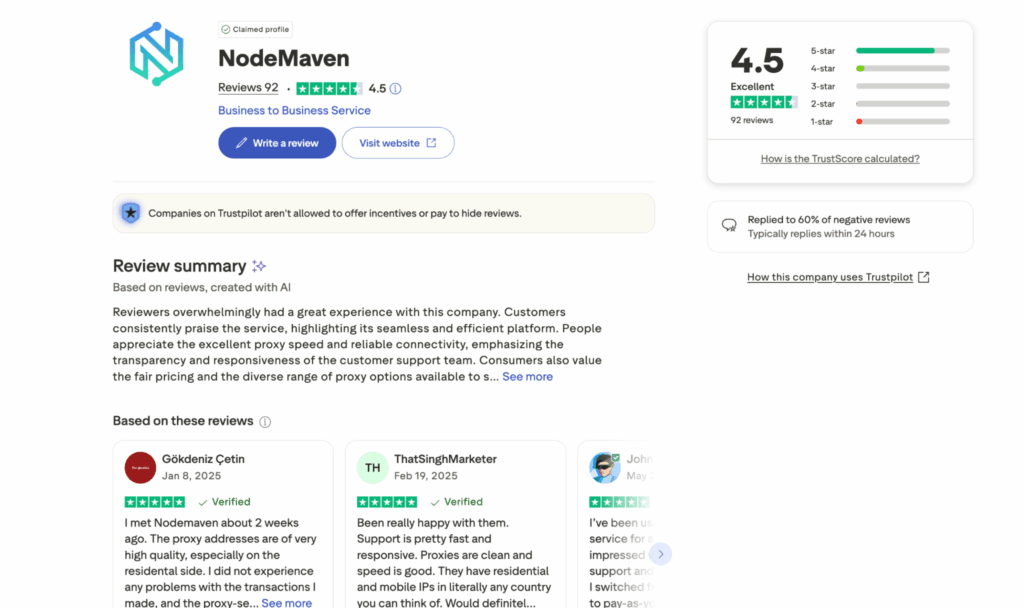
NodeMaven advertises live chat and offers email support, and community contact points exist on Telegram as well. My own interaction was basic: I asked a sticky-session control question and got a direct pointer to the detailed help article and parameter format. That’s the kind of helpdesk experience I value (and so do other users, as seen on Trustpilot).
Our Verdict
NodeMaven is a strong proxy provider if you care about repeatability and don’t want to waste days cycling bad IPs. The IP quality filtering story is plausible and aligns with how the product behaves: I saw fewer “dead on arrival” addresses in my early experience than with other services. The dashboard is usable, sticky HTTPS sessions are genuinely helpful, and protocols plus integrations cover most modern stacks. The manuals are detailed enough, and the customer care team is knowledgeable and reliable.
That being said, I’d say it’s a premium solution. Heavy scraping can get expensive under a traffic model, but I liked that you can validate the network quality without a big commitment. With only €3.99 for the 1 GB demo access, you get to test sticky sessions, targeting, and success rates before you scale.
FAQ
The provider is suitable for social platforms where geo and reputation matter (especially when you need stable HTTPS sessions and realistic residential or mobile IPs). Use it for controlled monitoring, verification, and research, then throttle requests and vary fingerprints. Social targets punish repetitive automation patterns quickly.
I wouldn’t call it a true free trial. There’s typically a low-cost starter option (paid traffic) to test the proxy network before committing to a larger plan. Some businesses may negotiate access differently, but you should assume a paid sample unless customer service confirms otherwise.
Proxies aren’t game enablers. They can help you access pages locked in a certain location or reduce IP-based blocks, but many online gaming sites detect proxy use aggressively. If you use proxies here, expect some friction and follow the rules of the platform.