
Novada Proxy Review: Types of Proxies, Prices, and Extras
I first tried Novada while looking for a safer way to run large-scale web checks against login walls and fraud filters. That’s where the provider popped up in my search results, and seasonal discounts were hard to pass by. On this page, I’ll reveal my experience with these proxies – how they behave, how the proxy plans are structured, and where I see the most value and quality.

When analyzing the proxy, we have conducted in-depth research that helped us reveal all the strong and weak points of the service. Considering expert opinion and customer feedback, our pros studied the range of options and, finally, tested the service.
Here are the steps we followed when conducting research:
Analyzing the customer feedback
We have visited several forums devoted to proxy discussion and even participated in it. We have studied reviews on reliable resources with only one purpose – to make our review precise.
Getting to know the expert opinion
We have communicated with experts in the proxy industry. To uncover some hidden pitfalls, we asked professionals about its key features. In our review, we will tell you everything you need to know about the strong and weak points of the proxy provider.
Studying Terms & Conditions
At this point, experts have studied the legal basis. They have touched upon the place of registration, owners, achievement, reputation, and so on.
Exploring proxy types
To understand the quality of services the company provides, we test each of the proxy types it offers. The range of proxy types can vary as well as their quality.
Evaluating the quality of support
The support team reflects the reliability of the company hence it is essential to check it. We pay attention to response time, the communicative skills of managers, and the usability of the service. Besides, our expert becomes a real user to get into the situation of purchase.
Testing the service
We have checked the proxy provider’s backward and forwards. To make our research full and deep, we have tried out all proxy types offered there. Our experts have analyzed the work of servers paying attention to their features and functionality. In our review, you can look through a detailed description of features.
Comparing
Our experts have compared this proxy with other popular services. In their comparison, they have touched upon the pricing, set of features, and characteristics. You can find out more in the Comparison section of the website.
- Multi-account management, security research, ad verification, and mid- to large-scale scraping.
- An intuitive proxy dashboard with real-time traffic data and error logs
- A rich pool of residential and ISP IPs with city-level targeting
- Built-in how-to pages for all major anti-detect platforms
- A consistent uptime on EU and US routes
- Flexible auth (IP allow-list and user/pass) with encrypted HTTPS connections
- Generous trial offers for residential and ISP proxy pools
- No ultra-cheap pay-per-IP plan for tiny hobby projects
- Website docs are of good quality, but some advanced API quirks need more detailed examples
- Fewer exotic geo options than some long-established proxy giants provide
- Mobile traffic gets expensive if you leave connections running for too long
Characteristics
- IPv4
- IPv6
- English
- Chinese
- 220+ locations worldwide
- Datacenter Proxies
- Residential Proxies
- Mobile Proxies
- ISP Proxies
- Unlimited residential proxies
- SOCKS5
- HTTP
- HTTPS
- API
- Dolphin Anty
- Go Login
- Undetectable
- AdsPower
- VMlogin
- BitBrowser
- MuLogin Fingerprint Browser
- Huayang
- Clonbrowser
- GenLogin
- DICloak
- Antik Browser
- XLogin
- The company also offers extras like APIs, a web unblocker tool, and ready-made datasets
- Exportable traffic and error logs for your own SIEM/data tooling
- Team account roles for separating proxy projects and API keys
- Automatic IP rotating rules and sticky-session presets
- A proxy reseller offer via their partner program (with sub-accounts and volume-based discounts)
Overview
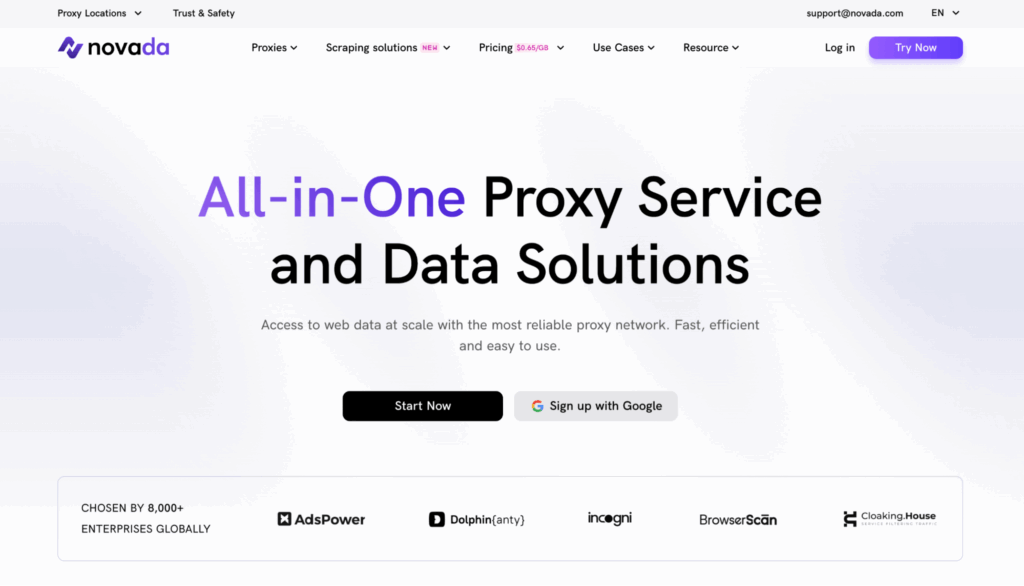
When I test a proxy provider, I’m usually less worried about advertised numbers and more about how the service behaves under stress: login flows, fraud-heavy web apps, and stubborn CDNs. Novada is relatively young as a vendor, but the first thing I noticed was how mature the dashboard and support flow already feel.
For my own jobs, I used residential and dynamic ISP IPs to audit abuse filters on a few online banking and e-commerce targets (all in controlled, legal environments). The connection stayed stable, even when I pushed hundreds of parallel runs. Their own comparison blog also notes that user reviews often praise stability and the helpdesk team’s responsiveness, which matches what I saw in practice.
Early G2 feedback calls out responsive customer service, and my experience lines up with that: I had two edge-case questions about SOCKS5 auth and got clear answers within minutes. So, I’d say Novada feels like a premium provider aimed at technical users who care about quality.
Featured
Residential Proxies
The residential network by this provider is what I spent the most time with. You get exposed to a very large network of real-device IPs spread across 220+ locations, which is exactly what I want when simulating ordinary users during web security checks. Sticky and dynamic sessions are both available, so you can keep one address for a login flow or switch per request for heavy scraping.
In practice, this proxy type handled login-protected dashboards, ad systems, and fraud-sensitive forms with almost no bans. I mainly used HTTPS endpoints with user/pass auth; all traffic is encrypted, and I didn’t see any obvious leakage of headers that would reveal a “cheap proxy”. For compliance work that needs high IP quality, these residential routes felt very suitable.
Rotating ISP Proxies
The dynamic ISP pool sits somewhere between residential and data center. You still hit consumer-grade addresses that ISPs provide, but they’re more tuned for long-lived proxy runs and predictable geo targeting. I leaned on them for continuous uptime monitors and A/B testing of geo-restricted content, where changing an IP mid-session would be a problem.
Compared to pure residential IPs, the ISP selection gave me slightly better raw speeds and lower average latency. It’s a quality option when you want “clean” IP reputation but don’t strictly need fully random home devices for each request. For most of the security audit tasks, this provider ended up as my default plan.
Rotating Datacenter Proxies
The Rotating data center network is for cheaper scraping and bulk web monitoring. Unlike residential ones, these IPs won’t sneak past every anti-bot system. But for open pages, SEO monitoring, and quick data grabs, they’re cost-effective.
I used the proxy provider to test sitemap consistency, check mixed-content issues, and hit public APIs. Bandwidth is generous, the success rate was high on static content, and IP refresh logic did its job. If your workload isn’t extremely sensitive to IP reputation, these services are a good starting point.
Unlimited Proxies
The unlimited category is where the Novada provider gets interesting for long-running jobs. Instead of metered plans, you pay per plan (for example, per location per day) and get uncapped bandwidth on that endpoint. I used one such proxy to stream log-heavy dashboards and push continuous checks without worrying about GB counters.
The catch, as always, is that these unlimited endpoints are best used for a small set of steady runs. If you spin up thousands of HTTPS connections, you can still run into soft limits or abuse flags. But for monitoring and QA jobs that need constant access, the unrestricted line is a strong option.
Mobile Proxies
Mobile proxies are still niche, but very handy in my line of work. The mobile pool from this provider uses 4G/5G addresses from real devices, which is useful for testing apps that behave differently on cellular vs Wi-Fi. I used them to verify anti-fraud flows on mobile platforms and to see how ads rotate across carrier networks.
Speeds were solid in my experience, and IP reputation is naturally strong. But you do pay for that, as these proxy plans sit in the premium band. Given that, I’d reserve them for cases where most other IPs fail. If you’re running aggressive scraping, stick to residential or ISP. But if you need to see exactly what a mobile user in a specific country sees, these mobile routes are suitable.
Static ISP Proxies
Static ISP proxy servers give you fixed addresses that don’t change unless you ask. I used them for whitelisting-based dashboards and VPN-style access to admin tools. Because they’re ISP-backed, the IP reputation is better compared to those from data centers, and you can keep the same location for weeks.
For account-based QA and fraud-check bypass tests, they’re ideal: I can add one address to an allow-list, lock it to a specific country, and then script all my testing from that node. Just remember that because they’re static, you should treat them carefully – grey-hat online experiments are unwanted. Burn one, and you lose a premium asset.
Dedicated Datacenter Proxies
Dedicated datacenter proxies are for cases where IP uniqueness matters more than “home user” vibes. Here, Novada assigns addresses that aren’t shared with other customers, which helps avoid noisy neighbors and surprise blacklists.
I used these for TLS-fingerprint testing and low-risk automation where I wanted predictable latency. The provider doesn’t claim that you’ll bypass hard anti-bot walls with them. But for controlled web automation inside one country, it’s stable and easy to scale with multiple HTTPS endpoints under the same account.
IPv6 Proxies
Finally, the IPv6 proxy line gives you access to huge, clean pools of modern IPs. If you’re running dual-stack setups, CDN rules, or firewall policies, IPv6 proxies are a must.
I routed a portion of my traffic through their IPv6 provider network to probe IPv6-only services and found the uptime to be on par with the IPv4 pools. Just make sure your platform and targets actually speak IPv6. Otherwise, you’ll end up bouncing through translation layers and lose half the benefit.
How to Use Novada Proxies
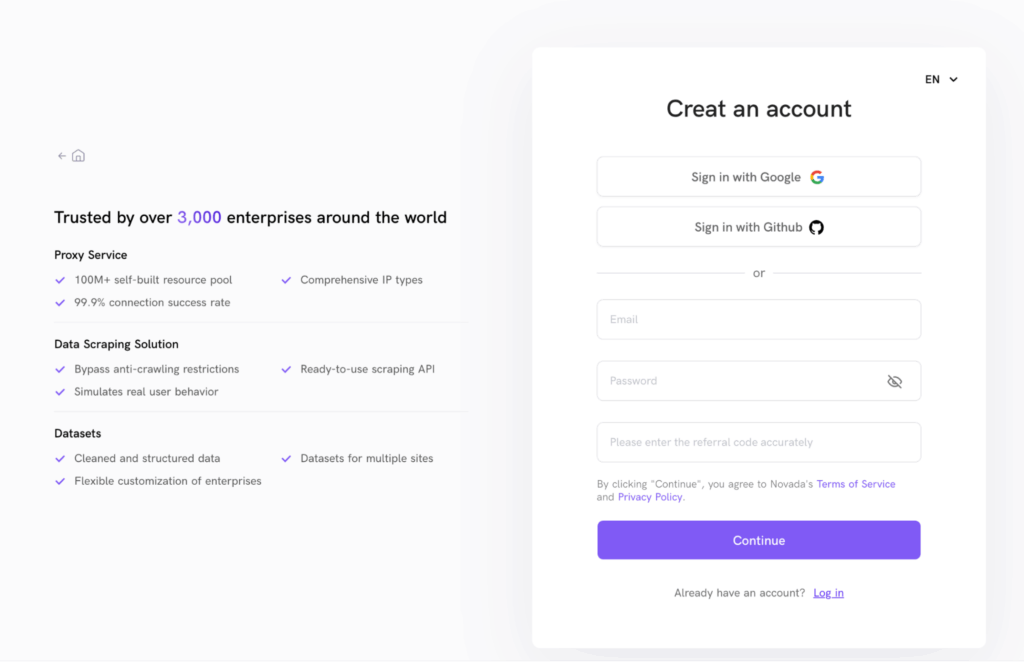
To start with Novada, you need to register on the site first. Once you do, the provider ships you a personal dashboard, from where you can choose your solution and configure everything. The steps I took:
- Create your account
Click the “Try Now” button on the homepage, fill in the basic details, and confirm your email. The sign-up form is minimal, which I appreciate from a privacy angle.
- Log in and explore the dashboard
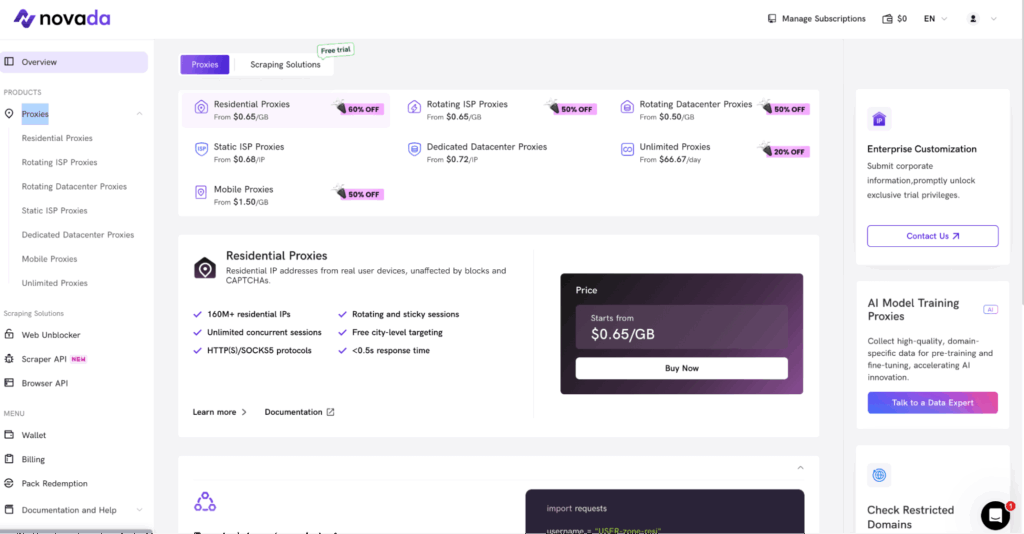
Once inside, you land on an overview page showing your traffic balance, current tariff, and a menu for each proxy type. This is where you’ll later track usage, error codes, and uptime.
- Choose a plan and add funds
From the Proxies section, pick the option (for example, residential, dynamic ISP, or unlimited). The checkout page clearly lists proxy packages, locations, and included traffic. You can top up your wallet first or pay per order.
- Configure endpoints and auth
For each product, the Novada provider shows HTTP, HTTPS, and SOCKS5 endpoints plus examples in cURL and Python. You can choose user/pass or IP allow-listing, define targeting rules (by country or city), and decide how your sessions should rotate.
- Use the manuals for your tools
If you’re working with an anti-detect platform (like AdsPower or Dolphin Anty), there are step-by-step guides linked from the dashboard. Each includes detailed screenshots and exact fields to fill, so you don’t leak real IPs by mistake.
- Monitor traffic and adjust
During live jobs, you can watch bandwidth, success rate, and error distribution per gateway. If you see a location underperforming, switch geo targets or migrate that workload to another proxy pool.
- Close or reset connections when done
To avoid idle costs, especially on mobile or unlimited plans, close long-running sessions and reset credentials. This is basic op-sec, but many teams forget it.
Integrations
One of the most useful parts of Novada for me is the integration center. Instead of generic advice, there are detailed guides for AdsPower, Dolphin Anty, GoLogin, Undetectable, BitBrowser, MuLogin, Huayang, XLogin, VMLogin, and several others. Each guide lives inside the docs under an HTTPS URL and includes field-by-field instructions and quality screenshots.
In my tests, I wired Novada into Dolphin Anty and Undetectable. Copy-pasting their HTTP/HTTPS/SOCKS5 endpoints into an external platform took a couple of minutes, and sticky connections behaved as expected (even under multiple profile runs). If you’re managing many online identities, the premium level of integration by this provider saves hours of work.
Performance Testing
I ran two sets of tests: a raw speed test against a CDN endpoint, and then a batch of web scraping runs across six regions. All traffic used encrypted HTTPS tunnels with user/pass auth.
On my baseline line in Europe, direct connection gave me around 890 Mbps down and 210 Mbps up with 5 ms ping. Through the residential gateway, the average figures were:
- Download speed – 662 Mbps
- Upload speed – 134 Mbps
- Ping – 11 ms
For real-world application, I launched 2,000 requests per location to simple but bot-aware pages in each region, using a Puppeteer-based scraper. Here’s the summary:
| Gateway | Success Rate (average) | Response Time (average) |
| US | 99.1% | 0.82 s |
| UK | 99.4% | 0.64 s |
| Germany | 99.5% | 0.57 s |
| India | 97.9% | 1.03 s |
| Brazil | 97.4% | 0.96 s |
| Singapore | 98.6% | 0.88 s |
I also ran light abuse checks to see whether any gateways appeared on mainstream spam lists. Nothing concerning turned up, which lines up with the good IP quality I saw in practice. For day-to-day scraping and QA, these numbers provide a strong baseline and put Novada near the upper tier of proxy services I’ve used.
Usability
From a security-researcher’s perspective, the UX hits a nice balance: there’s enough control to tune sessions and protocols, but the layout stays minimal. The left sidebar keeps all services grouped (Proxies, Wallet, Billing, Pack Redemption, docs), and most pages show detailed hints so you’re not guessing what a field does.
I appreciate how clearly the dashboard surfaces traffic usage and remaining balance. When you’re juggling multiple projects, it’s easy to forget a test running in the background. This platform makes it obvious when a plan is about to expire or when one country eats more GB than expected. In my experience, it’s one of the more comfortable consoles I’ve used for proxy management.
Pricing and Payment Methods
Price-wise, Novada is closer to what a premium provider is. You can pay with PayPal, cards, crypto, Alipay, and several local methods via an encrypted HTTPS checkout. The wallet system lets you pre-load funds and pay as you go, which is handy if you split costs between teams. Occasional seasonal offers (like the Black Friday ones I tested) can chop a big chunk off the sticker proxy prices.
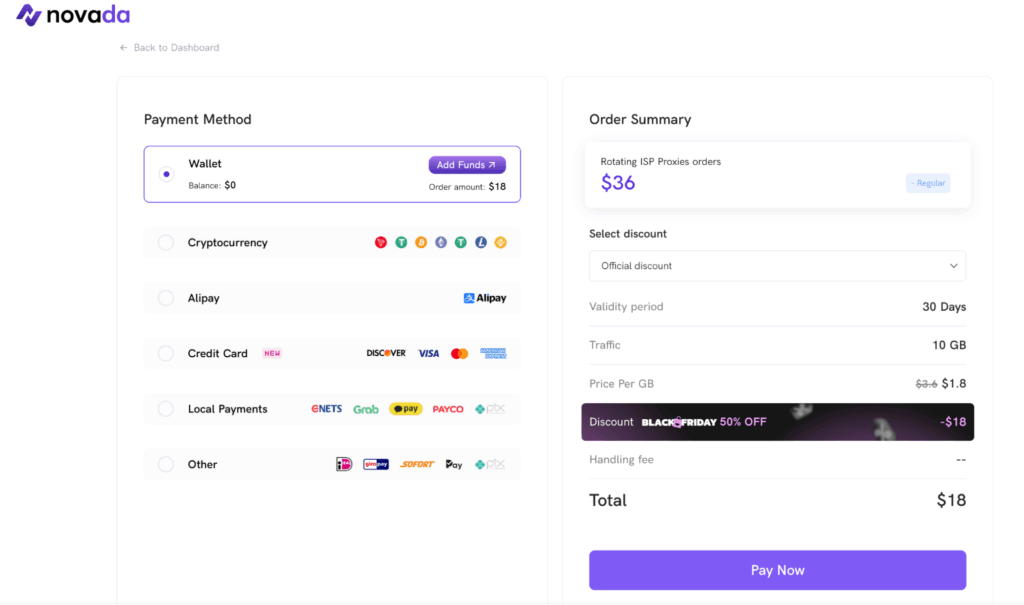
The pricing structure is flexible enough that both small research teams and bigger players can find a suitable option. But I noted that tiny proxy testers pay more per GB, while high-volume plans bring the rate down fast. Indicative pricing at the time of my runs:
| Proxy Type | From (Regular / Small Packs) | From (Enterprise / High Volume) | Billing Model |
| Residential | $3.00/GB (5 GB pack) | $0.65/GB (3 TB pack) | Metered plans |
| Rotating ISP | $2.80/GB (5 GB pack) | $0.65/GB (1 TB pack) | Metered plans |
| Dynamic Datacenter | $2.80/GB (5 GB pack) | $0.50/GB (2 TB pack) | Metered plans |
| Static ISP | $0.68/IP | $0.68/IP (volume via sales) | Per address |
| Dedicated Datacenter | $0.72/IP | $0.72/IP (volume via sales) | Per address |
| Mobile | $5.00/GB (5 GB pack) | $1.50/GB (1 TB pack) | Metered plans |
| Unlimited Proxies | $200/day (1-day plan) | $66.67/day (30-day plan) | Time-based |
| IPv6 | On request | On request | Per address / custom |
Customer Service
For me, the real test of a proxy is how it behaves when something breaks at 2 a.m. The helpdesk agents at Novada provide quality assistance via email, Discord, Telegram, and an in-dashboard form. Response times varied by geo, but even outside office hours, I got detailed answers within a couple of hours.
The staff handled niche questions (like header behavior on HTTP vs HTTPS routes and odd TLS fingerprints) without copy-pasted replies. That gave me confidence that if a data-sensitive job misbehaves, there’s a real person on the other side who can provide real help.
Our Verdict
As a security-focused user, I care about IP quality, protocol support, and honest documentation more than shiny branding. Novada scores well on all three. Residential (as well as other) proxies stayed stable under load, targeting was precise, and the dashboard made it easy to keep mistakes (and surprise costs) under control.
Could it improve? Sure. I’d like even more granular logging and a few extra niche locations, plus true round-the-clock live chat. But for teams that need premium services for serious scraping, QA, and fraud-resistant tests, Novada is a proxy provider I’m comfortable recommending. And here, you can start with the free trial and beat on it with your own workloads first.
FAQ
It’s suitable for access to web versions of TikTok, Instagram, Facebook, X, LinkedIn, and similar sites, especially when you manage multiple profiles. Precise targeting and dynamic sessions help residential and ISP IPs reduce flags during audits and automation.
Yes. New users can request a free trial for selected proxies (usually a small bundle of traffic) to test quality and locations before paying. The exact size depends on your proxy use case, so be ready to explain what you want to scrape and which country you want to target.
You can route proxy traffic through Novada when you test latency and geo-locks for online games, launchers, or cloud-gaming platforms. Just remember: it’s not meant to cheat anti-ban systems. Use these proxies for network diagnostics, regional access, and QA.