Proxy review · Editorial Choice
GonzoProxy Review 2025: IP Types, Features, and Prices
I first came across the GonzoProxy provider while looking for fresh residential IPs that wouldn’t crumble under Facebook and Google’s fraud systems. Their promise of “no bans, no limits” sounded like what I needed, so I wired these proxies into my own web automation stack. I ran a few thousand requests and watched what broke. This review is the result of that proxy experience.
 Editorial Choice
Summary rank
How we score?Show detailsHide details
When analyzing the proxy, we have conducted in-depth research that helped us reveal all the strong and weak points of the service. Considering expert opinion and customer feedback, our pros studied the range of options and, finally, tested the service.
Analyzing the customer feedback
We have visited several forums devoted to proxy discussion and even participated in it. We have studied reviews on reliable resources with only one purpose – to make our review precise.
Getting to know the expert opinion
We have communicated with experts in the proxy industry. To uncover some hidden pitfalls, we asked professionals about its key features. In our review, we will tell you everything you need to know about the strong and weak points of the proxy provider.
Studying Terms & Conditions
At this point, experts have studied the legal basis. They have touched upon the place of registration, owners, achievement, reputation, and so on.
Exploring proxy types
To understand the quality of services the company provides, we test each of the proxy types it offers. The range of proxy types can vary as well as their quality.
Evaluating the quality of support
The support team reflects the reliability of the company hence it is essential to check it. We pay attention to response time, the communicative skills of managers, and the usability of the service.
Testing the service
We have checked the proxy provider backwards and forwards. To make our research full and deep, we have tried out all proxy types offered there.
Comparing
Our experts have compared this proxy with other popular services — pricing, features, and characteristics. You can find more in the Comparison section of the website.
What is best suited for?
- Ad account management, social media automation, fraud-resistant scraping, and security testing.
We liked
- A huge real-device pool of residential and mobile proxies in multiple locations
- High quality of connection (96%+ success rate) and low fraud scores on tough online platforms
- A pay-per-GB model with unlimited proxy creation
- Traffic never expires; GBs roll over to the next plan
- Unlimited concurrent connections on all plans
- Fine-grained country, city, and ISP targeting
- Sticky and rotating setups down to 30 seconds
- A clear proxy generator and ready configs for anti-detect browsers
- 24/7 Telegram helpdesk with technical staff involved
We didn’t like
- Mobile proxy services are limited to Poland and Ukraine as of writing
- A dashboard lacks very detailed per-request logs
- No built-in browser extension for casual proxy users
- No native desktop app – everything is web based
Characteristics
- IPv4
- English
- Russian
- 190+
- Residential Proxies
- Mobile Proxies
- SOCKS4
- SOCKS5
- HTTP
- HTTPS
- Cryptocurrencies
- Bank cards
- API
- Dolphin Anty
- Go Login
- Undetectable
- Octo Browser
- MoreLogin
- VMlogin
- Incognition
- Antik Browser
- Linken Sphere 2
- AntBrowser
- GeeLark
- Indigo
- The ISO 27001-audited infrastructure, with your traffic encrypted in transit
- Privacy rules follow GDPR and CCPA
- REST API for data collection, automation, and custom tools
- Quality guides and manuals on integrations
- A built-in referral program by GonzoProxy (10% from invited users’ spend)
- Multi-language support and docs for popular anti-detect browsers
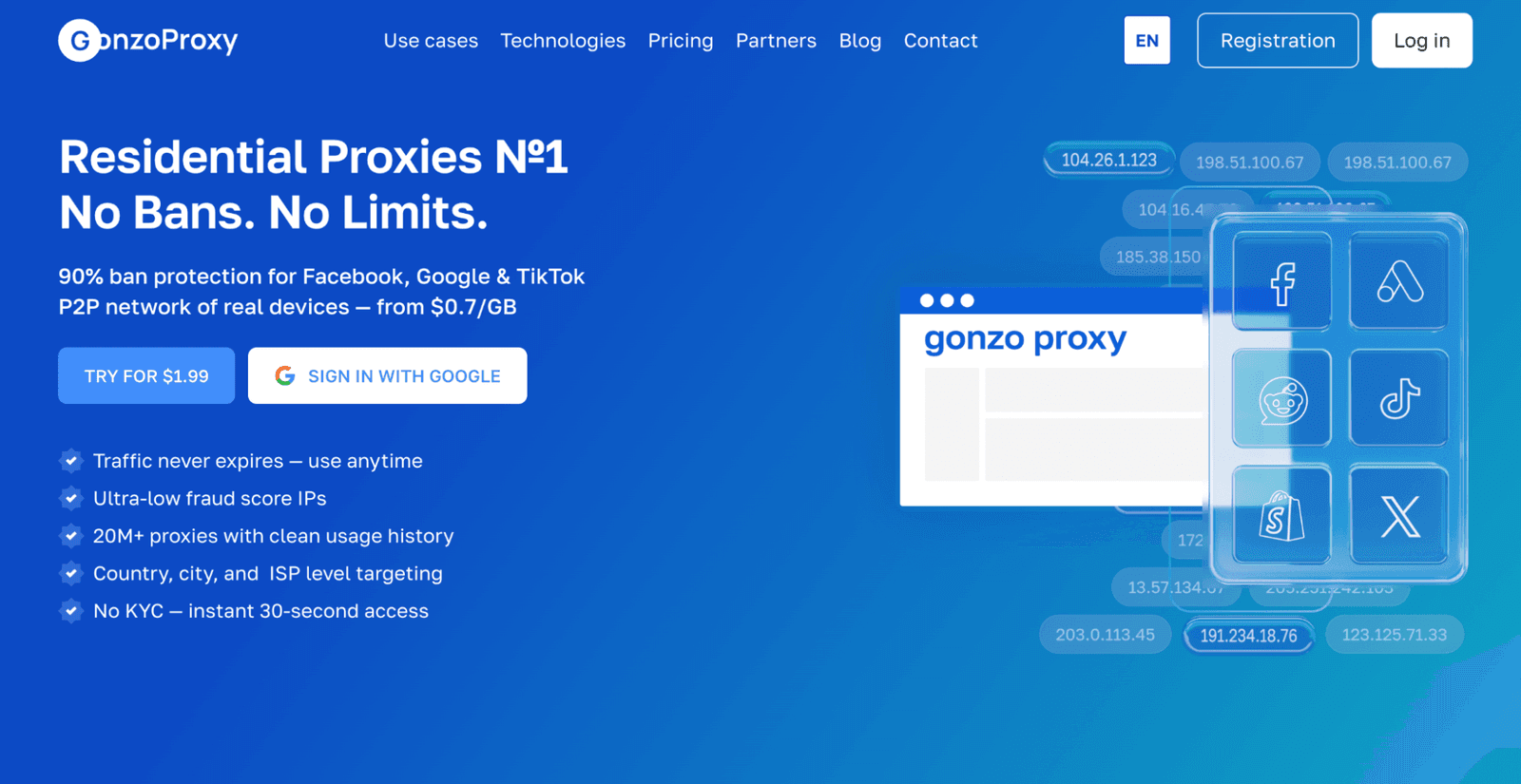
What caught my eye with GonzoProxy was the network of P2P residential traffic and a security posture that looked decent. The provider sources IPs from users who install a proxy app and opt in, then compensates them for sharing bandwidth. That gives the pool a natural usage history instead of the “fresh out of a VPS farm” footprint you see with most discount proxies.
I used the GonzoProxy services in a couple of my usual stress tests. These were scraping SERPs for security-related queries, running sign-ups and logins on ad systems, and probing some hostile web app firewalls. I leaned on their sticky HTTPS sessions for long-lived browser profiles and dynamic endpoints for bulk data pulls. Across these scenarios, the quality of the addresses stayed consistently high – very few captchas, and almost no hard blocks.
From a cybersecurity perspective, I also care about how a provider handles user data and abuse, and what guarantees they provide if something goes wrong. What I noted was that GonzoProxy imposes minimal KYC for standard tasks, but extra checks when you want access to banking or government sites. Proxy logs are kept to a reasonable minimum for billing and abuse handling.
Featured
Rotating Residential Proxies
The residential network can be safely called the premium services of GonzoProxy. You get a P2P pool of over 20 million real-device proxies in 190+ countries, and can narrow down to city and ISP level in most locations. For my tests, I pulled HTTPS sessions out of the US, UK, Germany, Indonesia, and Brazil, then alternated between sticky and dynamic setups.
Encrypted sticky connections can hold the same residential IP for up to roughly 72 hours, which is long enough for account warm-up, ad platform logins, and other flows that hate changing addresses. When a source proxy device disappears, the system replaces it with a new one that matches your location rules. In my experience, a couple of long-running browser profiles stayed alive for days without unexpected logouts, which provide the stability you want for ad accounts and testing.
The offer you pay for is bandwidth, not for individual proxies. That means you can spin up unlimited endpoints (say, 10 for manual work or 1,000 for web scraping and automation) without touching your plan. That model tends to work best for teams that know their average GB usage and don’t want to be nickel-and-dimed per IP. I found it easy to match the number of proxies to the workload instead of the other way around.
From a fraud-detection angle, these premium quality residential IPs perform well. Facebook and Google still enforce their rules, obviously, but risk flags arrive slower compared to any cheaper proxy provider. Anti-bot products that rely heavily on IP reputation treated GonzoProxy addresses as regular users, especially when I combined them with sane browser fingerprints. That makes them suitable for folks who don’t want to fight captchas all day.
Unlimited Mobile Proxies
Mobile proxies by this provider are concentrated in Poland and Ukraine primarily. I’d say that for high-risk online tasks, that’s often enough. Instead of metered traffic, you pay for unlimited data per period: 3, 7, or 30 days. One mobile proxy can power multiple accounts by cycling IPs with a single click in the dashboard.
I used these mobile endpoints for some social-network testing, especially scenarios where traditional proxies tend to get flagged. These are things like simultaneous logins, quick profile edits, and light scraping of feeds. Mobile IPs have a trust boost on most online platforms, and that held true here. Even fairly aggressive patterns slid under the radar as long as I didn’t go full-on spammer.
City and ISP targeting aren’t available on mobile services yet, so you trade granularity for quality. If your threat model cares more about looking like a real handset than about hitting a specific country or city, this is a suitable option. For ad buyers and crypto users, one properly configured mobile proxy with dynamic IPs can replace dozens of fixed residential addresses and provide a more realistic mobile footprint. And that goes a long way toward keeping proxy spending under control.
Referral Program
On the business side, GonzoProxy also runs a referral program that offers a flat 10% cut on each invited user’s bills. You get a unique link in your dashboard, share it with your community, and earn 10% of each invited user’s bills. Rewards can be moved to your main balance and spent on traffic, which can cut your proxy prices if you’re already using the service.
I liked this program for simplicity – no need to deal with confusing tiers or locked-in coupons. For agencies or teams that already recommend proxies to clients, that’s an easy way to offset part of the monthly bill (and you don’t have to push a provider you don’t trust).
How to Use GonzoProxy
Getting started with this provider is pretty painless. Here’s how I wire GonzoProxy into a new platform or script.
1. Register your account
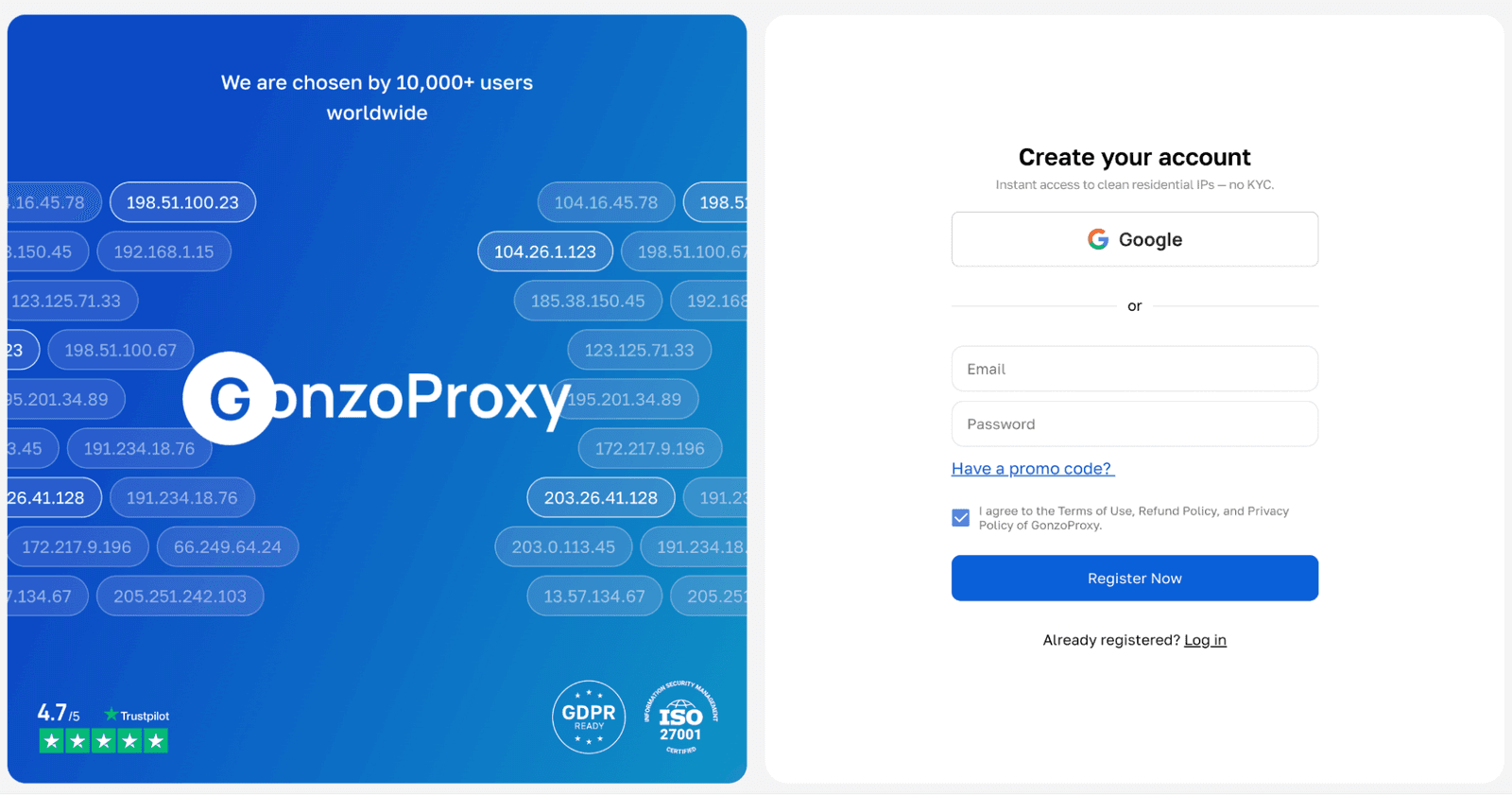
Hit the “Try now” button on the homepage, then either sign in with Google or register with an email and a password. Verification emails land quickly, and you’re inside the proxy dashboard in under a minute.
2. Choose your plan and trial
From the Residential Proxy tab, pick a starter plan or the $1.99 0.3-GB demo. The provider shows your cost per GB and any fees before you pay – as someone who reads the small print, I appreciated that.
3. Top up with crypto or card
You can pay for the services in USDT or other coins with 0% fees, or use a bank card. I usually go with crypto because it’s faster for me. But each option worked fine in my testing. Your proxy balance updates instantly after payment.
4. Configure your proxies
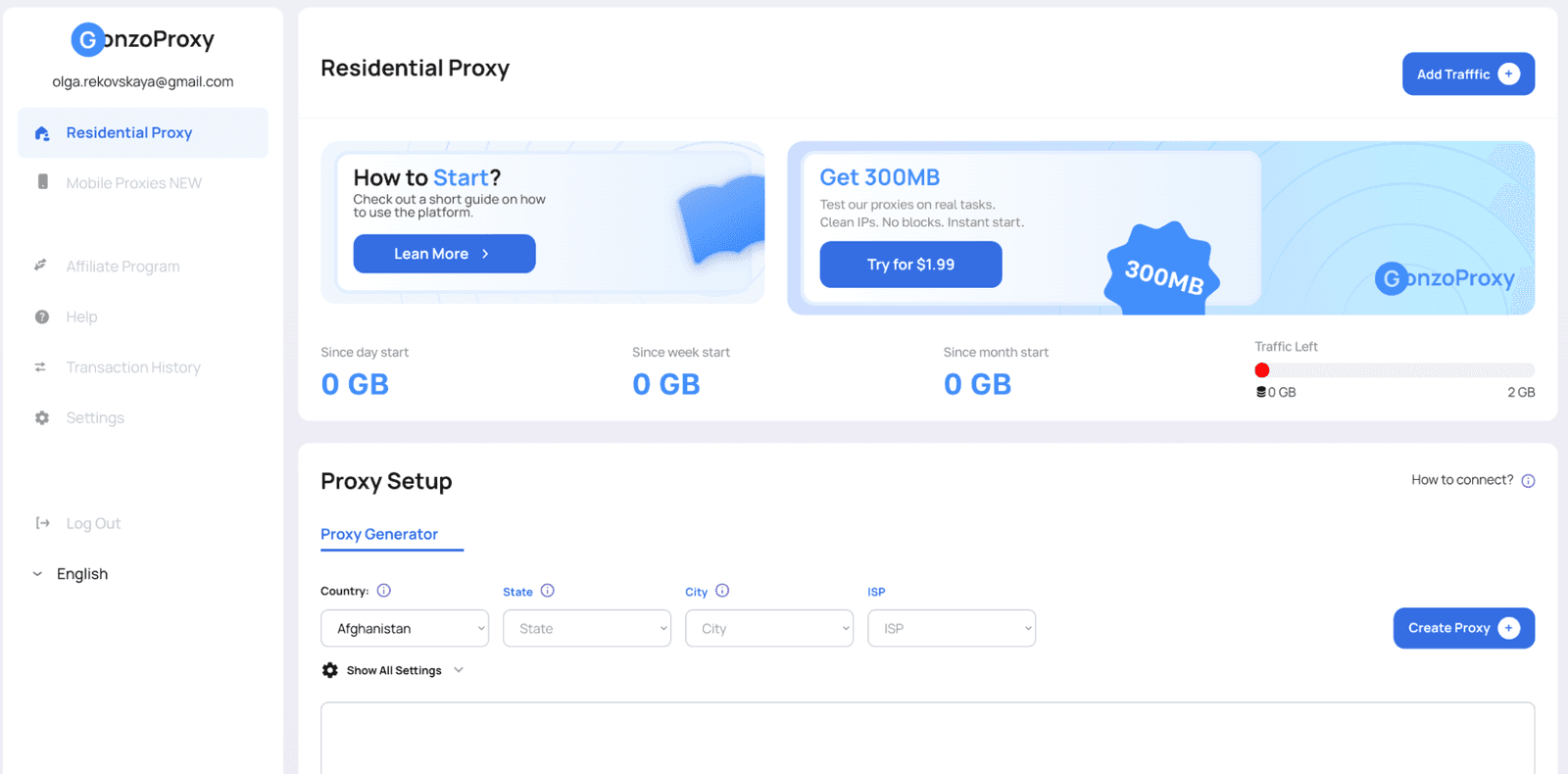
In the “Proxy Setup” area, choose country, state, city, and ISP for your residential proxies. Then decide whether you want rotating IPs per request or sticky setups held for longer. The panel generates endpoint strings in both HTTP/HTTPS and SOCKS5 formats.
5. Plug them into your tools
Copy the proxy endpoints into your anti-detect browsers, scrapers, or custom scripts. The provider has prepared free, detailed docs for GoLogin, Dolphin, Octo, Indigo, and others, so you won’t have to guess which ports to use.
6. Monitor usage and adjust
The dashboard shows traffic consumption by day, week, and month, plus remaining GBs. If you see usage spiking on a specific service, you can tweak targeting, dial back concurrency, or move that workload to mobile.
Integrations
A big part of my workflow is anti-detect browsers, and this provider plays nicely with most of them. I tried it with Dolphin Anty, GoLogin, and Octo Browser; in each case, the setup boiled down to pasting the proxy string, choosing HTTP or SOCKS5, and matching the right location in the tool’s profile settings. No special plug-ins or home-grown scripts were required.
For automation and data collection, the REST API is handy and can provide the control you need to manage setups and gateway changes from code. You can generate or revoke residential endpoints on the fly, script rotating sessions per task, and keep your configs in version control. If you’re building your own platform for multi-account work, this kind of API access adds more value than a shiny UI.
Each integration option gets its own article in the help center (with quality screenshots and detailed instructions). That’s useful if you’re handing the setup to a junior teammate who’s new to premium proxy panels.
Performance Testing
I ran my usual 3-part testing routine with proxies: a raw speed check, multi-region success rate tests for scraping, and some basic security sanity checks. For the baseline speed test, I used a wired 1 Gbps encrypted HTTPS connection out of Central Europe, targeting a global CDN:
Download speed through GonzoProxy residential: 612 Mbps
Upload speed: 104 Mbps
Ping: 11 ms
In other words, almost indistinguishable from my average direct line. Unlimited connections gave me enough headroom for heavy web traffic and concurrent HTTPS proxy sessions.
Then I sent a few thousand scraping requests against search engines and e-commerce sites, using dynamic IPs for every request. Here’s what I saw with this provider:
Proxy location | Success rate | Response time (average) |
United States | 98.6% | 0.92 sec |
United Kingdom | 99.1% | 0.71 sec |
Germany | 99.3% | 0.54 sec |
Brazil | 97.4% | 0.88 sec |
Indonesia | 96.8% | 1.21 sec |
Australia | 96.9% | 1.27 sec |
Those numbers are comfortably above average for a P2P provider. Response times stayed under a second in Europe and North America, creeping up only when I targeted farther locations. Captcha rates were low, especially with sane throttling.
On the security side, I probed HTTPS certificates, DNS records, and basic reputation services. Nothing weird popped up in DNS, the HTTPS setup looked up to date, and the proxy network wasn’t tied to any sketchy hosts. The external scanners I use flagged the domain as safe, and the ISO 27001 badge seems legit.
Usability
I liked that this proxy provider offers you enough control without overwhelming you. Once you access the main dashboard, you see your key traffic stats right away. Inside a collapsible panel, you’ll find more detailed settings. Nothing is hidden behind obscure submenus.
If needed, you can switch between simple and advanced views. If you only need a couple of proxies for a browser, you won’t have to touch anything. But those who’re orchestrating multiple platforms and locations can fine-tune each HTTPS session. As someone who spends a lot of time debugging weird web behavior, I’d say this saves hours.
Pricing and Payment Methods
At GonzoProxy, you pay for traffic, and the GBs don’t expire. I found this model easier to budget than a typical provider that burns your balance every month.
Traffic tier (GB) | Price per GB |
1-24 | $6.5 |
25-49 | $5.5 |
50-99 | $4.5 |
100-249 | $3.9 |
250-499 | $3.2 |
500-999 | $2.75 |
1000-1499 | $2.5 |
1500-1999 | $2.4 |
2000-2499 | $2.3 |
2500-2999 | $2.2 |
3000-4999 | $2.1 |
5000+ | $2.0 |
There’s also the public $1.99 trial (0.3 GB) and occasional time-limited discounts the team offers in the Telegram channel. If your proxy usage stays high, moving into the bulk tiers can provide you with a tangible cut off the premium proxies costs.
Duration | Price | Notes |
3 days | $7 | Unlimited traffic, Poland/Ukraine |
7 days | $15 | Good for short campaigns |
30 days | $45 | Best value for ongoing work |
Payments work with crypto (USDT and others) and bank cards. Crypto has 0% fees in the panel, and card fees are reasonable. You can also pay with internal balance if you earn from the proxy referral program by the provider.
Customer Service
The Telegram bot and chat are the main helpdesk channels, and in my experience, I got quality responses from humans within minutes. When I asked about specific proxy protocols and WAF-related blocks, I was talking to someone who understood encrypted HTTP, HTTPS, and multi-session setups.
Email support is slower but still decent – replies landed within a day with detailed answers. For teams that live in Telegram anyway, the real-time chat is a big plus.
Our Verdict
As a cybersecurity guy, I judge proxies by how they behave under pressure. GonzoProxy passes that test: strong quality in its residential proxy pool, honest pay-per-GB pricing, and a dashboard that doesn’t get in your way. The mobile network, however, may not cover the country you need, and I’d love to see more explicit security transparency. But what’s there already beats most mid-tier provider offerings.
From my experience, GonzoProxy is a suitable option for those who manage ad accounts, scrape data, or build their own multi-account tooling. Although I rate it high, remember that good proxies are only half the story. Your browser fingerprints and behavior patterns still matter.
FAQ
What social networks is GonzoProxy suitable for?
GonzoProxy is suitable for multiple social networks where clean residential and mobile IPs matter most: Facebook, Instagram, TikTok, X, and others. HTTPS encryption, precise country targeting, and premium proxy quality work well for ad accounts and profile management there.
Does GonzoProxy offer a free trial service?
Yes, there’s a trial plan for residential proxies at $1.99 for 0.3 GB. It’s enough traffic to test proxy access to your main platform, check IP quality, and confirm that your tools, HTTPS or SOCKS5 setups, and sessions work as expected.
What games can I play with GonzoProxy?
GonzoProxy isn’t a gaming VPN, but its proxies can help with access to online game stores, promo pages, and regional events where country location matters. Just remember that latency-sensitive gameplay is not the main goal here. It’s built for web automation, scraping, and premium account-based tasks rather than competitive matches.